
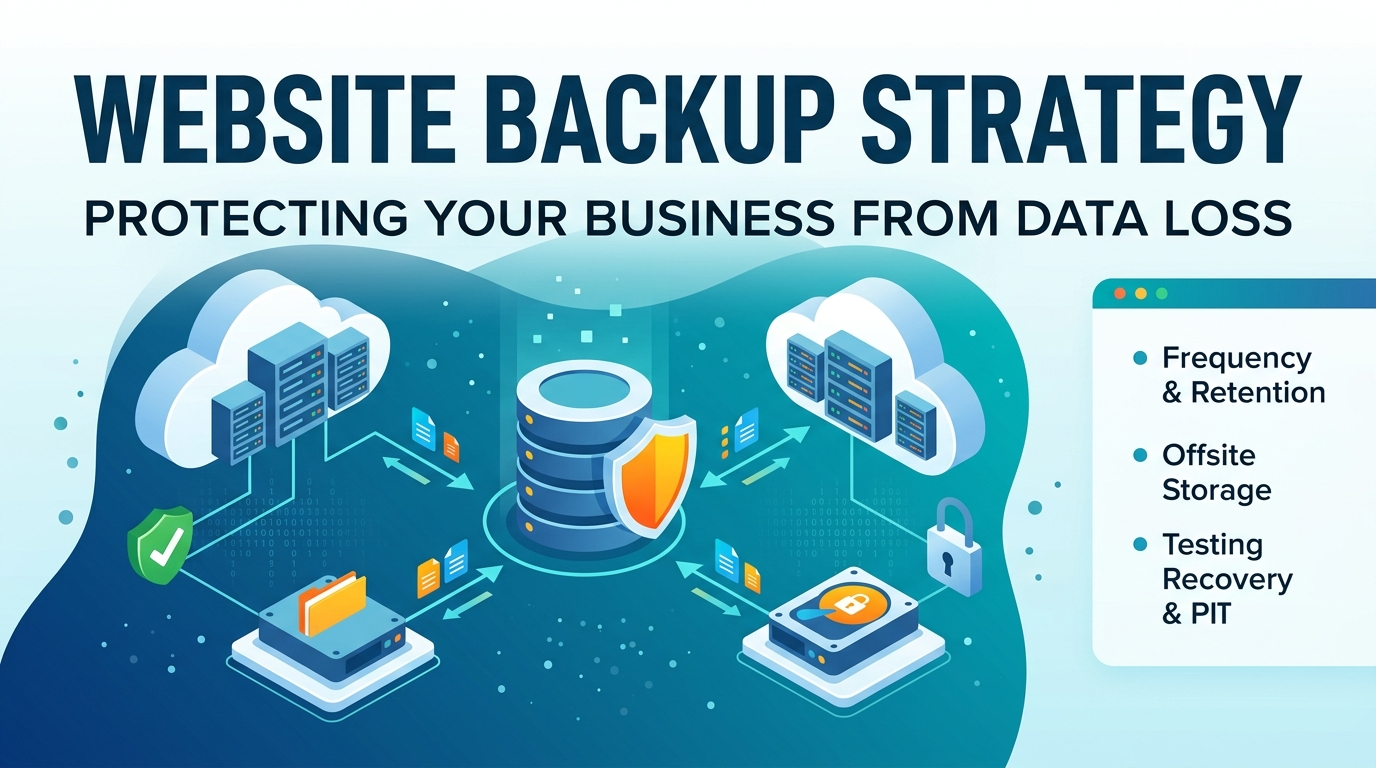
Most conversations about website protection focus entirely on security — firewalls, malware scanning, login hardening. A solid website backup strategy is usually mentioned as a footnote to that conversation, a feature bundled into a hosting plan rather than something planned deliberately in its own right. This framing misses something important: backups protect against far more than hackers. A website can be lost to a failed server migration, an accidental deletion, a botched plugin update, or a hosting provider’s own hardware failure, none of which have anything to do with a security breach. A genuine backup strategy needs to account for all of these scenarios, not just the security-focused ones, and building that broader strategy is what this article covers.
Why Backups Matter Beyond Security?
Accidents Happen Too
The most common cause of website data loss is not a sophisticated attack — it is a human mistake. A developer runs the wrong database command, an update to a plugin or theme breaks the site in a way that is not easily reversed, or a team member deletes content that turns out to still be needed. These accidents happen to careful, competent people regularly, and no amount of security hardening prevents them, since they have nothing to do with unauthorized access. Website data backup exists precisely for these moments, providing a way to undo damage that no firewall or malware scanner was ever designed to prevent.
The True Cost of Data Loss
The cost of losing a website extends well beyond the technical effort of rebuilding it. Lost content means lost search rankings built up over months or years, lost customer trust if the site goes dark or displays broken pages during business hours, and lost revenue for every day an ecommerce or lead-generation site remains unavailable. For a small business without a dedicated technical team, rebuilding a lost website from scratch can take weeks, during which competitors continue capturing the search visibility and customer attention the business worked hard to build.
Backup Frequency and Retention Best Practices
How Often Should a Business Website Be Backed Up?
The right backup frequency depends on how often meaningful content changes. A frequently updated ecommerce site or active blog genuinely needs daily backups at minimum, since losing even a single day of orders or published content represents real business impact. A largely static brochure site that rarely changes can reasonably operate on a weekly backup schedule, though daily backups cost little in storage and provide meaningful extra protection even for low-change sites. When in doubt, more frequent backups are almost always the safer default, since storage costs for website backups are generally minimal compared to the cost of lost data.
Retention Policies: How Many Versions to Keep
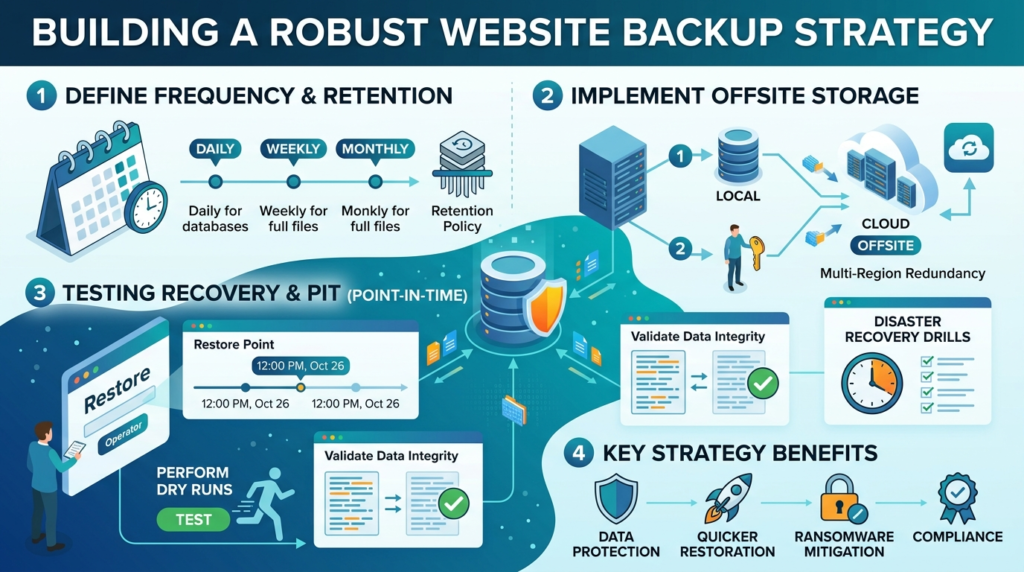
Backup frequency alone is not enough — a business also needs a retention policy determining how many historical versions to keep and for how long. A common, reasonable approach keeps daily backups for the past two to four weeks, weekly backups for the past two to three months, and monthly backups for a year or more, giving a business the ability to recover not just from yesterday’s problem but from an issue that went unnoticed for weeks before it was discovered. Retention matters because some problems — a slow content corruption, a security compromise that sat dormant before activating — are not caught immediately, and a retention policy that only keeps the last few days of backups offers no protection against this kind of delayed discovery.
Offsite Storage and Automated Backups
Why Onsite-Only Backups Are Not Enough?
A backup stored only on the same server as the live website provides no real protection if that server itself fails, gets compromised, or becomes inaccessible — the exact scenarios a backup strategy is meant to guard against. A genuine disaster recovery website plan requires offsite storage, keeping backup copies on infrastructure physically and logically separate from the primary hosting environment, so a total failure of the main server does not simultaneously destroy the backups meant to recover from it.
Setting Up Automated Backups That Actually Run
Manual backups depend on someone remembering to run them consistently, which is precisely the kind of process that quietly breaks down under normal business pressure once the immediate memory of a past data-loss scare fades. Automated backups running on a defined schedule, with an alert system that flags when a scheduled backup fails to complete, remove this human dependency entirely. A backup system that runs silently without any verification of success is nearly as risky as having no backup system at all, since a business relying on automated backups that quietly stopped working weeks ago has no way of knowing until the moment recovery is actually needed.
Testing Recovery, Not Just Taking Backups
Recovery Time Objective and Recovery Point Objective
Two planning concepts matter for any serious website backup strategy: recovery time objective (how long the business can tolerate the site being down during a restore) and recovery point objective (how much recent data the business can afford to lose, based on backup frequency). A business with an ecommerce site processing constant orders needs an aggressive recovery time objective measured in hours and a recovery point objective measured in minutes or hours, while a low-traffic informational site can typically tolerate a longer recovery window without meaningful business impact. Defining these two numbers explicitly, rather than leaving them implicit, clarifies exactly how aggressive the backup and recovery plan actually needs to be.
Running a Recovery Drill
The single most overlooked step in website backup strategy is actually testing the restore process before an emergency forces it. A backup file that has never been used to actually restore a site might be corrupted, incomplete, or missing a dependency that only becomes apparent during a real recovery attempt. Running a periodic recovery drill — actually restoring a backup to a staging environment and confirming the site works correctly — is the only way to know with confidence that backups will function when they are actually needed, rather than discovering a problem with the backup itself in the middle of an active crisis.
Choosing a Backup Storage Location
Cloud Storage vs. Physical Media
Most modern website backup strategy implementations rely on cloud storage rather than physical drives, since cloud storage offers automatic geographic redundancy, easier scalability as backup volume grows, and typically lower ongoing cost than maintaining physical backup hardware. Physical media still has a role in some regulated industries requiring an air-gapped copy completely disconnected from any network, but for the vast majority of business websites, cloud-based offsite storage provides sufficient protection at a fraction of the complexity.
Choosing a Provider Separate From Primary Hosting
Storing backups with a completely different provider than the one hosting the live site adds a meaningful layer of protection against provider-level failures — a billing dispute, an account suspension, or a company-wide outage affecting the primary host would not simultaneously affect a backup stored elsewhere. This separation costs little in practice but closes a genuine gap that backups stored within the same hosting account do not address.
Common Backup Mistakes That Undermine Protection
Backing Up Files Without the Database
A common and costly mistake is backing up a site’s files (images, themes, plugins) without including the database, or vice versa. Most modern websites split their content between these two components, and a backup missing either one is effectively incomplete, producing a restore that looks broken or loses critical content despite the business believing it had “a backup” all along.
Never Reviewing Backup Success Logs
Automated backups reduce the risk of forgetting to run a backup, but they introduce a different risk: assuming the automation is working without ever checking. A brief but regular review of backup completion logs, even just monthly, catches silent failures — a storage quota exceeded, an expired API credential, a broken script — long before that failure becomes relevant during an actual emergency.
Frequently Asked Questions
Daily backups are the reasonable minimum for any actively updated site, including ecommerce stores and regularly published blogs. A largely static site that rarely changes can operate on a weekly schedule, though daily backups cost little extra and provide additional protection regardless of update frequency.
It depends on what the hosting provider actually offers. Many hosting plans include some backup functionality, but the details matter: check the backup frequency, how many historical versions are retained, and — critically — whether backups are stored offsite rather than only on the same server as the live site.
These solve entirely different problems. A backup protects against data loss and provides a way to restore a site after damage or failure. Uptime and maintenance windows relate to keeping a site accessible to visitors, which is a separate concern from whether the underlying data itself is safely backed up.
The only reliable way to know is to test them. Periodically restoring a backup to a staging environment, separate from the live site, and confirming everything functions correctly is the only way to catch problems with the backup process itself before an actual emergency forces the issue.
A complete backup includes the full database, all media files and uploads, the site’s core files and any custom code, and configuration settings. Backing up only the visible content while missing the database or configuration files often results in a restore that looks incomplete or broken despite technically having “a backup.”
Ready to Make Sure Your Website Is Actually Protected?
A website backup strategy only provides real protection when it accounts for accidents as well as attacks, runs automatically and reliably, and has actually been tested to confirm recovery works. Creative 4 All manages hosting and backup infrastructure for businesses across Lebanon and the GCC, with automated offsite backups and verified recovery processes built in. Talk to a Hosting Specialist to see how well-protected your website actually is today.