

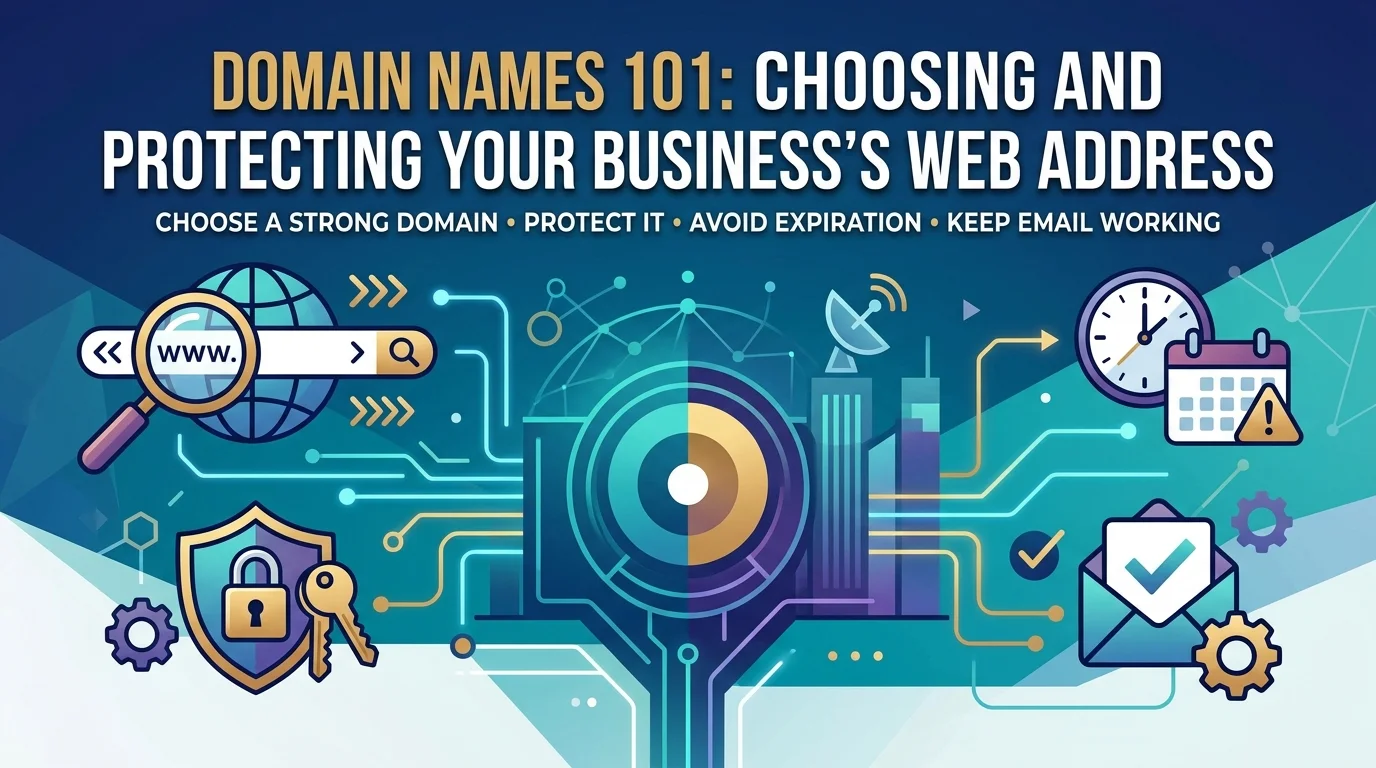
A domain name is often the very first decision a new business makes about its online presence, and it is frequently made quickly, based on whatever name happens to be available, without much thought about how that choice will matter for years afterward. A poorly chosen domain is awkward to say aloud, easy to mistype, or confusingly similar to a competitor’s. An unprotected domain can expire unnoticed or fall into the wrong hands. Understanding domain name registration properly at the start — what makes a name strong, which extension fits, how to secure it, and how it connects to email — prevents several avoidable and sometimes expensive mistakes down the road.
Choosing the Right Domain Name
Characteristics of a Strong Domain Name
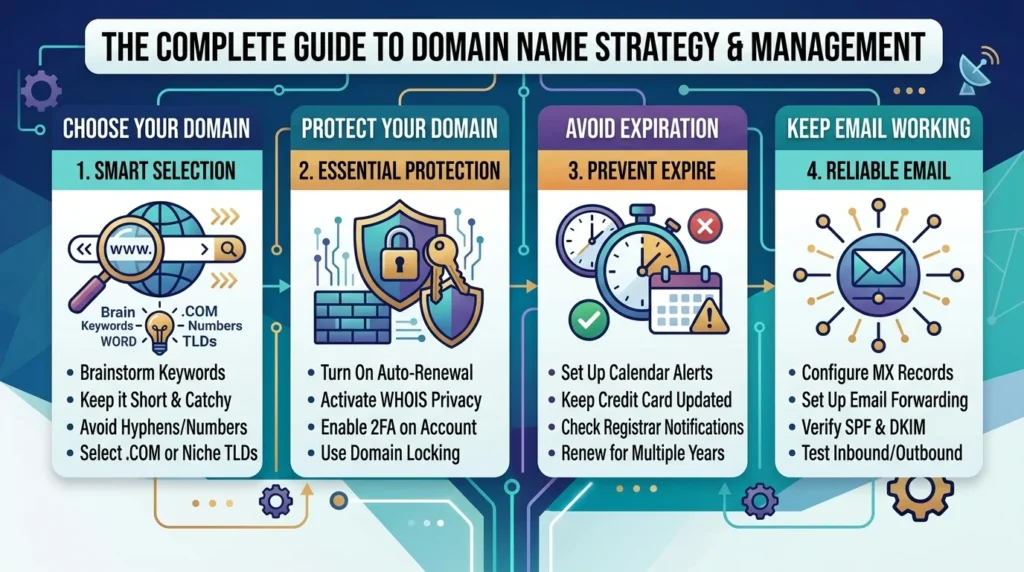
A strong domain name is short enough to remember and type without error, easy to say aloud without needing to spell it out, and free of hyphens and unusual spellings that people routinely get wrong when typing from memory. Choosing a business domain name that closely matches the actual business name or primary offering also helps customers find the site intuitively, rather than needing to remember an arbitrary or only loosely related address. Before settling on a name, saying it aloud to someone unfamiliar with it, and asking them to type it from what they heard, quickly reveals whether the name has hidden usability problems.
Choosing Between .com, .co, and Country-Code Extensions
The .com extension remains the most widely recognized and trusted default, and is generally the strongest choice for a business with international ambitions, since many visitors will instinctively type .com when guessing an address. Country-code extensions — such as .lb for Lebanon, .ae for the United Arab Emirates, or .sa for Saudi Arabia — signal a local presence and can support local search relevance, which makes them valuable for a business focused primarily on one specific market. Newer extensions like .co or industry-specific options can work well for particular branding goals but carry a small risk that visitors will default to typing .com and land somewhere else, so they are generally best considered alongside, rather than instead of, securing the .com version where available.
Domain Privacy and Security Basics
What WHOIS Privacy Does?
When a domain is registered, the registrant’s contact information (name, address, email, phone) is typically recorded in a public database called WHOIS, which spammers, scammers, and data harvesters routinely scrape. WHOIS privacy protection replaces this personal information in the public record with the registrar’s own proxy contact details, shielding the actual owner from the flood of unsolicited messages and the potential for targeted fraud that exposed contact information can attract. For most businesses, the small cost of this protection (or its inclusion at no charge with many registrars) is well worth the reduction in spam and scam exposure.
Basic Security Measures
Beyond privacy, a few basic security measures significantly reduce the risk of a domain being hijacked or maliciously transferred. Enabling a registrar lock prevents unauthorized transfers of the domain to another registrar without deliberate action from the owner, while two-factor authentication on the registrar account protects against the most common route for domain theft: a compromised account password. Using a strong, unique password for the registrar account and keeping the account’s contact email current and secure are equally important, since the registrar account itself is effectively the key to ownership of the domain.
Avoiding Accidental Expiration
Why Expiration Is More Common Than You’d Expect?
Domain expiration catches businesses off guard far more often than most expect, usually because the renewal notification went to an old email address, a former employee who originally registered the domain, or a web developer who is no longer involved with the business. When a domain expires, the website and every email address using that domain stop working, and the domain may eventually become available for someone else to register, sometimes including competitors or speculators who actively monitor expiring domains of established businesses.
Renewal Management Best Practices
Enabling auto-renewal with a valid, current payment method is the simplest and most effective protection against accidental expiration, supplemented by ensuring renewal notices go to a monitored shared business email rather than an individual’s personal inbox. Registering a domain for multiple years upfront, where it makes financial sense, adds a further buffer, and keeping a simple record of where each domain is registered and when it renews prevents the situation where nobody in the business actually knows which registrar holds the domain or which account to log into when a problem arises.
Domains and Email Deliverability
How Domain Setup Affects Email?
A business’s domain is not only its website address but also the foundation of its professional email, and how the domain is configured directly affects whether the business’s emails actually reach recipients’ inboxes or get filtered into spam. A correctly configured domain signals to receiving mail servers that emails claiming to come from that domain are genuinely authorized, while a poorly configured or unconfigured domain makes legitimate business emails look suspicious and more likely to be rejected or junked.
SPF, DKIM, and DMARC in Plain Terms
SPF, DKIM, and DMARC are three email authentication records configured through the domain’s DNS settings that work together to prove emails are really from the business. SPF lists which mail servers are authorized to send email on behalf of the domain, DKIM adds a cryptographic signature that verifies a message hasn’t been tampered with in transit, and DMARC tells receiving servers what to do with messages that fail those checks while also providing reports on attempted misuse of the domain. Setting up all three correctly is increasingly expected by major email providers and meaningfully improves the chance that legitimate business emails reach inboxes rather than spam folders.
Domain Name Security Beyond the Basics
Monitoring for Unauthorized Changes
Domain name security does not end with setting a lock and enabling two-factor authentication once and forgetting about it. Periodically reviewing the domain’s DNS records and registrar account for unexpected changes — new DNS entries nobody authorized, altered contact details, or unfamiliar login activity — catches problems early, before they escalate into a hijacked website or intercepted email. Some registrars and DNS providers offer automated alerts for changes, which provides an additional safety net without requiring someone to remember to check manually.
Planning for Staff Turnover and Access Continuity
One of the most common domain name security failures has nothing to do with sophisticated hacking: a single employee or external developer holds the only login to the registrar account, then leaves the business or becomes unreachable. Registering the domain under a company-controlled account rather than an individual’s personal account, and ensuring more than one trusted person can access it, prevents the business from being locked out of its own web address at an inconvenient moment.
Choosing a Business Domain Name With Growth in Mind
Avoiding Names That Limit Future Direction
When choosing a business domain name, it’s worth considering whether the name will still make sense if the business expands its offering or enters new markets. A domain tightly tied to a single product, narrow service, or specific city can feel limiting once the business evolves, and changing a domain later carries real costs in lost search visibility and customer recognition. A name that reflects the brand more broadly generally ages better than one locked to a narrow description of what the business does today.
Checking for Conflicts Before Committing
Before finalizing a domain name, checking whether the name conflicts with an existing trademark, a competitor’s brand, or a confusingly similar domain protects against legal complications and customer confusion later. Searching the name across major social media platforms at the same time ensures a consistent handle is available everywhere the business plans to have a presence, rather than securing the domain and then discovering the matching social handle is already taken.
Frequently Asked Questions
Securing the main extensions and common misspellings of a primary business name can protect against competitors or scammers registering confusingly similar addresses, though this needs to be balanced against cost. At minimum, registering the extension most likely to be guessed (typically .com) alongside the primary choice is a sensible protective step for most businesses.
Registering for multiple years upfront reduces the risk of accidental expiration and avoids repeated renewal tasks, though enabling auto-renewal with a reliable payment method accomplishes much of the same protection. Many businesses choose a multi-year registration for their primary domain as an added buffer.
Yes, since the registrar holds control over the domain’s management and security features. Choosing an established, reputable registrar with strong security options, transparent pricing including renewals, and responsive support matters more than saving a small amount on the initial registration fee.
It’s possible, but changing a domain after a site has built search visibility and customer recognition requires careful redirects and planning to avoid losing traffic and rankings. Choosing a domain thoughtfully at the start avoids needing to make this disruptive change later.
A common cause is missing or misconfigured email authentication records (SPF, DKIM, DMARC) on the domain, which makes receiving servers unable to verify that the emails are genuinely from the business. Properly configuring these records significantly improves email deliverability.
Ready to Choose and Protect Your Business’s Web Address the Right Way?
Domain name registration is a small decision at the start that has outsized consequences for how a business is found, trusted, and reached by email for years afterward. Creative 4 All helps businesses across Lebanon and the GCC choose, register, and protect domains with proper security and email configuration from the start. Talk to a Hosting Specialist to make sure your business’s web address is set up correctly.