
Every content strategy, every link-building campaign, and every carefully optimized page eventually runs into the same ceiling: none of it matters if Google can’t crawl, index, and properly understand the site it’s sitting on. Businesses in Lebanon routinely invest in blog content, guest posts, and on-page optimization while leaving technical issues unaddressed underneath — broken canonical tags, bloated crawl budgets, missing structured data — quietly capping the return on everything else. A thorough technical SEO audit checklist isn’t a nice-to-have step before the “real” SEO work begins; it’s the foundation that determines whether that work has any chance of showing up in search results at all.
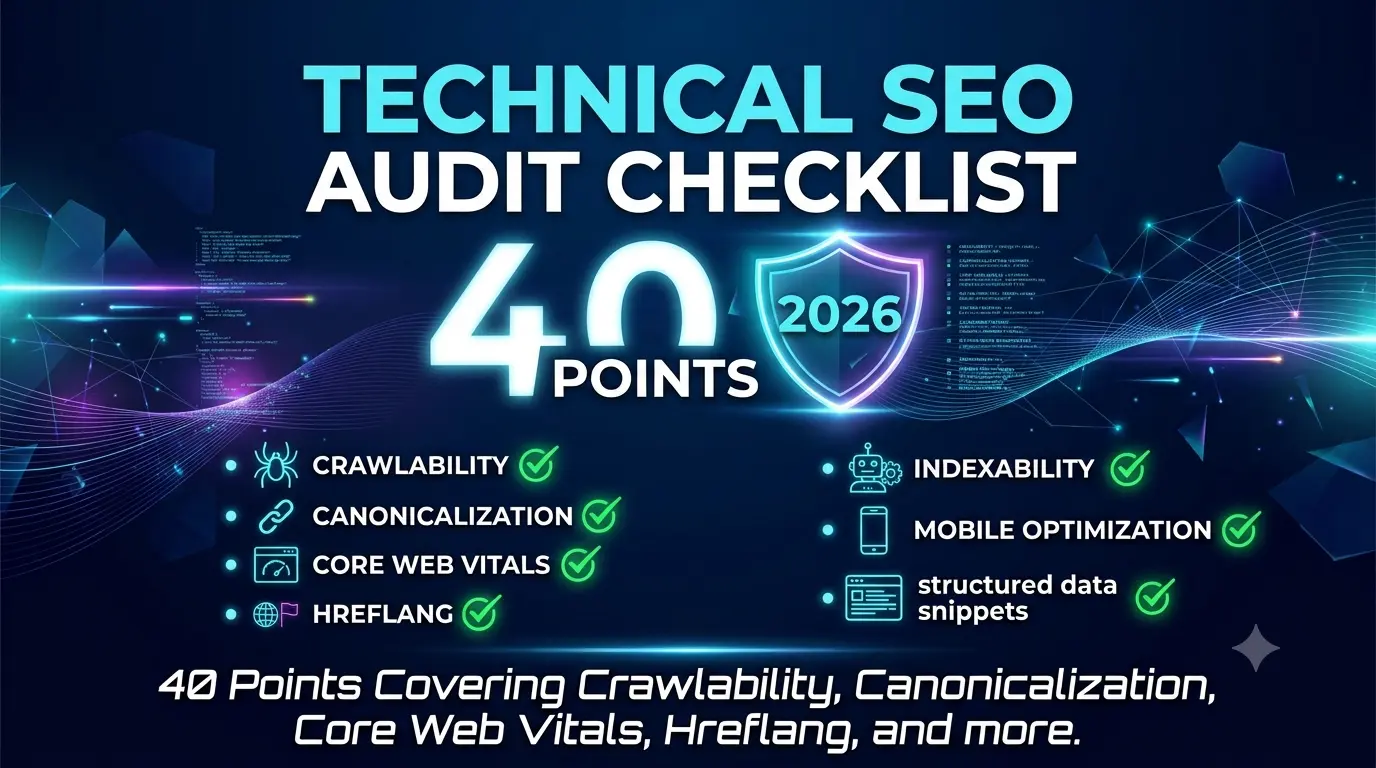
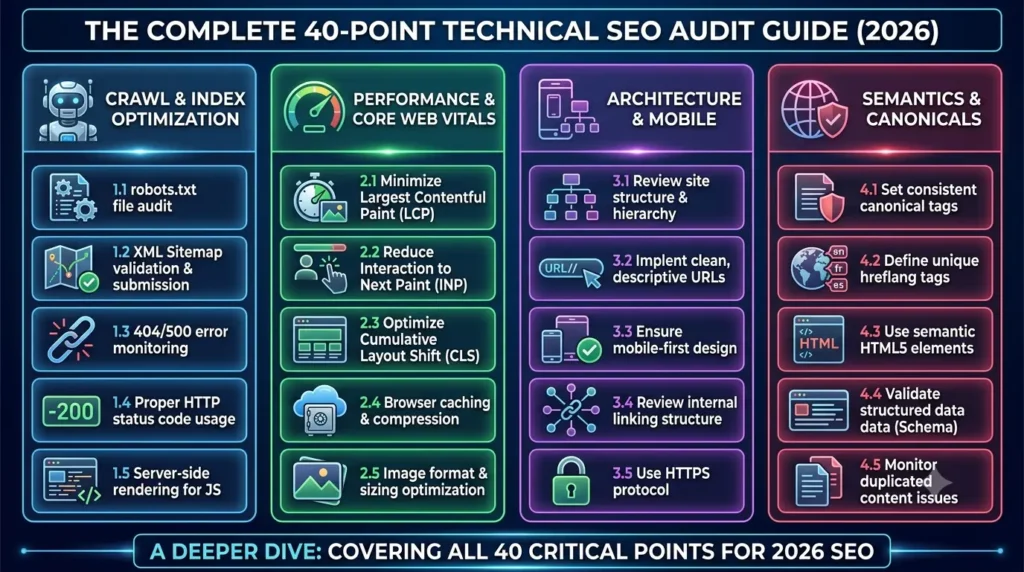
This guide walks through 40 specific technical checkpoints, organized into eight categories, that make up a complete technical SEO audit checklist for a business website. Whether you’re running this audit yourself with tools like Google Search Console and Screaming Frog, or handing it to an agency, this checklist gives you a concrete standard to measure against rather than a vague sense that “technical SEO matters.”
Why Technical SEO Underpins Every Other Investment?
Content and link building get most of the attention in SEO conversations because they’re visible — a business owner can read a blog post or see a new backlink. Technical SEO is largely invisible, which is exactly why it gets neglected. But a site with poor crawlability can have brilliant content sitting on pages Google never fully indexes. A site with duplicate content issues can have its own pages competing against each other in search results instead of one strong page ranking clearly. A site with slow Core Web Vitals scores can lose rankings and conversions regardless of how well-written its content is.
Running through a complete technical SEO audit checklist periodically — not just once at launch — catches these issues before they quietly erode months of content and marketing investment. The following eight categories cover the areas that matter most for a business website operating in a competitive, multilingual market like Lebanon.
Crawlability and Indexability
Before Google can rank a page, it needs to find it, crawl it, and decide it’s worth indexing. Issues here are often invisible in a normal site visit but show up clearly in Google Search Console’s coverage reports, which is why this category opens nearly every technical SEO audit checklist.
- Confirm Google Search Console shows no unexpected “Excluded” or “Error” pages that should be indexed
- Check that important pages aren’t accidentally blocked by a noindex tag left over from staging or development
- Review crawl stats to identify whether crawl budget is being wasted on low-value URLs like filtered product variants or tag pages
- Verify that internal search result pages and admin URLs aren’t being crawled and indexed unintentionally
- Confirm server response codes are correct — pages returning soft 404s or unexpected 500 errors need immediate attention
Canonicalization and Duplicate Content
Duplicate or near-duplicate content splits ranking signals across multiple URLs instead of consolidating them onto one authoritative page, and it’s one of the most common issues found on multilingual sites specifically.
- Verify every page has a self-referencing canonical tag unless intentionally pointing elsewhere
- Check that www and non-www, and HTTP and HTTPS versions of the site, all redirect to a single canonical version
- Confirm trailing-slash and non-trailing-slash URL variants aren’t both indexed separately
- Review English, Arabic, and French versions of pages to ensure each language version canonicalizes to itself, not to the English page
- Identify any parameter-based URLs (tracking parameters, session IDs) that could be creating duplicate indexed pages
XML Sitemaps and Robots.txt
These two files are the most direct communication channel between a website and search engine crawlers, and errors here can have an outsized impact relative to how simple they are to fix.
- Confirm the XML sitemap is submitted in Google Search Console and free of errors
- Verify the sitemap includes only canonical, indexable URLs — not redirected, noindexed, or blocked pages
- Check that robots.txt isn’t accidentally disallowing important sections of the site
- Confirm the sitemap is referenced correctly within robots.txt
- Review whether separate sitemaps exist for each language version, properly cross-referenced with hreflang
Site Architecture and Internal Linking
How a site is structured directly affects how efficiently crawl budget is spent and how link equity flows between pages, both of which influence rankings independent of content quality.
- Confirm every important page is reachable within three clicks from the homepage
- Identify orphan pages that have no internal links pointing to them at all
- Check that the main navigation reflects the site’s actual priority pages, not just historical structure
- Review whether pillar pages receive strong internal linking from related supporting content
- Confirm breadcrumb navigation is implemented and marked up with structured data
Structured Data
Structured data helps Google understand context and can unlock rich results in search — but broken or missing markup is extremely common and often goes unnoticed without a dedicated check.
- Validate existing schema markup using Google’s Rich Results Test for errors and warnings
- Confirm Organization and LocalBusiness schema is present and accurate on relevant pages
- Check that FAQ schema is implemented correctly on pages with genuine FAQ content
- Verify Article schema is present on blog posts with correct author and publish date fields
- Confirm breadcrumb schema matches the actual site navigation structure
Core Web Vitals and Page Speed
Page experience signals directly factor into rankings, and slow-loading pages also quietly damage conversion rates regardless of their SEO impact.
- Review Largest Contentful Paint scores in Google Search Console’s Core Web Vitals report
- Check Cumulative Layout Shift for pages with ads, embeds, or late-loading images causing visual instability
- Confirm images are properly compressed and served in modern formats rather than oversized originals
- Verify render-blocking JavaScript and CSS aren’t unnecessarily delaying page load
- Check server response time, since a slow backend affects every other speed metric downstream
Mobile Usability
With mobile traffic making up the majority of search visits for most businesses, mobile usability issues have a direct and immediate ranking impact through Google’s mobile-first indexing approach.
- Confirm the site passes Google’s mobile-friendly test without critical issues
- Check that tap targets (buttons, links) are appropriately sized and spaced for touch interaction
- Verify text is legible without zooming on standard mobile viewports
- Confirm forms and checkout flows function correctly on mobile devices, not just desktop
- Review whether mobile page speed matches or approaches desktop performance
Hreflang for English, Arabic, and French
For a multilingual business, hreflang implementation is one of the most frequently mismanaged technical elements, and errors here can cause the wrong language version to rank in the wrong region entirely.
- Confirm hreflang tags are present and reciprocal across all English, Arabic, and French page pairs
- Verify hreflang codes use correct language and region formatting rather than inconsistent variations
- Check that a self-referencing hreflang tag exists on each page in addition to references to other language versions
- Confirm an x-default tag is set for pages without a clear regional targeting preference
- Review Google Search Console’s International Targeting report for hreflang errors flagged automatically
How to Prioritize What This Checklist Finds?
Running through all 40 points on a technical SEO audit checklist typically surfaces more issues than a business can realistically fix in a single week, which makes prioritization its own skill. Not every finding carries equal weight — a missing canonical tag on a low-traffic blog post matters far less than a noindex tag accidentally left on a core service page, even though both would show up as findings on the same audit.
A practical way to prioritize is to sort issues by two factors: how much organic traffic or ranking potential the affected page carries, and how directly the issue blocks indexing or ranking versus merely making it marginally less efficient. Indexability issues on high-value pages — a service page accidentally blocked in robots.txt, or a homepage with a broken canonical tag — should be fixed immediately, regardless of how much effort that takes. Lower-impact issues, like minor Core Web Vitals inefficiencies on a rarely visited archive page, can reasonably wait for a broader cleanup pass.
This is also where a spreadsheet tracking each issue against its page, severity, and fix status earns its keep. Technical audits without a tracking system tend to fix the obvious issues and quietly lose track of the smaller ones, which then resurface in the next audit cycle as if they were never addressed.
Turning This Checklist Into an Ongoing Practice
A technical SEO audit delivers the most value when it’s run on a recurring schedule rather than treated as a one-time launch task. Technical issues accumulate quietly as a site grows — new pages get added without proper internal linking, plugins introduce unexpected duplicate content, migrations break canonical tags that used to be correct. A quarterly technical review catches these issues while they’re still small, rather than after months of accumulated crawl and indexing problems have suppressed rankings across the site.
For businesses without an in-house technical resource, this is one of the areas where an outside audit earns its cost quickly — the fixes themselves are often straightforward once identified, but finding them requires familiarity with tools like Screaming Frog, Google Search Console, and PageSpeed Insights working together rather than any single report in isolation.
Frequently Asked Questions
A full audit at least twice a year is a reasonable baseline for most business websites, with lighter monthly checks of Google Search Console for new crawl errors or coverage issues in between.
Google Search Console covers indexing, coverage, Core Web Vitals, and hreflang reporting for free. Screaming Frog or a similar crawler identifies canonicalization, redirect, and internal linking issues at scale. PageSpeed Insights supplements Core Web Vitals data with page-specific recommendations.
Yes. A previously well-ranking page can lose visibility if a site migration breaks its canonical tag, if crawl budget gets diverted to low-value pages, or if Core Web Vitals scores degrade after a design or plugin change.
Yes, if the site serves genuinely distinct English, Arabic, and French audiences. Without correct hreflang implementation, Google may show the wrong language version to users in a given region, or treat translated pages as duplicate content rather than distinct, relevant versions.
Ideally, yes, or at minimum in parallel. Content and link building can still produce some results without a clean technical foundation, but the full return on that investment is capped until crawlability, indexability, and page experience issues are resolved.
Ready for a Professional Technical SEO Review?
Working through 40 checkpoints manually takes real time, and misreading a report can mean missing the issue actually holding a site back. Get a free SEO audit from Creative 4 All and get a clear, prioritized list of the technical issues affecting your website’s search visibility today.