
A pharmacy chain with eight branches across Beirut, Metn and Keserwan searches for itself on Google Maps and sees something strange. The Hamra branch appears for searches in Achrafieh. The Jounieh branch, newly opened, barely shows at all. Two branches share a phone number that rings at head office, and customers complain they called the wrong store. Every branch is real and busy, yet online they compete with each other instead of serving their own neighbourhoods.
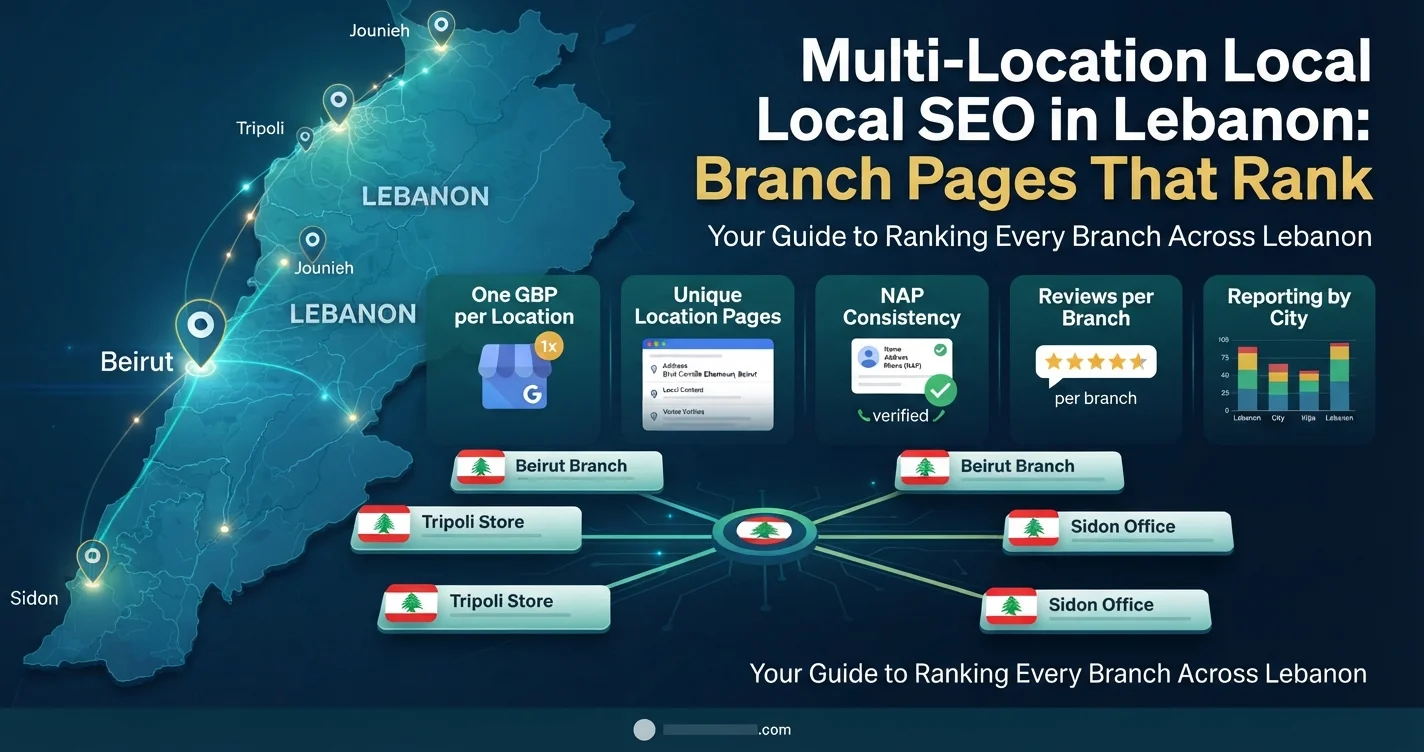
Multi-location local SEO solves exactly this problem. It is the practice of making each branch of a business visible to customers nearby, through its own Google Business Profile, its own location page on the website and consistent information everywhere. This guide explains how to structure profiles and pages for chains, clinic groups, banks, restaurant groups and schools with several campuses in Lebanon, and how to measure each branch’s performance.
Why Businesses Without Multi-Location Local SEO Struggle?
Local results depend heavily on three factors Google describes publicly: relevance to the search, distance from the searcher and the business’s prominence. A single-location business only has to optimise one set of signals. A multi-location business has to give Google a clear, separate set of signals for every branch, or Google will simply guess.
The common failures are predictable. Some brands create one profile for the whole company, so only one location appears. Others create profiles but link them all to the homepage, giving Google no branch-specific page to understand. Many use a central phone number everywhere, which confuses customers and weakens each branch’s identity. And some build dozens of near-identical location pages with only the address changed, which Google tends to treat as thin content. Our complete guide to local SEO in Lebanon covers the fundamentals; this article focuses on what changes when you have more than one location.
One Google Business Profile Per Location
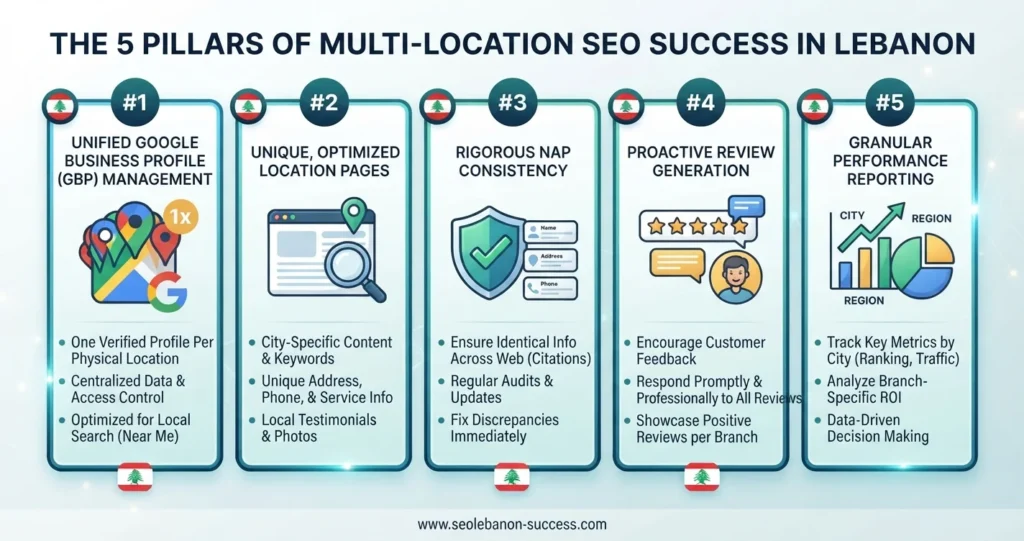
The foundation of multi-location local SEO is simple: each physical branch where customers are served during stated hours should have its own Google Business Profile. Not one profile for the brand, and not extra profiles for each department or service.
Organise Profiles in a Business Group
Use a business group (sometimes called a location group) in Google Business Profile to manage multiple Google Business Profiles under one organisation account. Head office owns the group, branch managers or your agency can be added with appropriate access, and nobody needs to share passwords. Brands with ten or more locations may be eligible for Google’s bulk verification process rather than verifying each branch individually.
Keep Names Consistent and Honest
Use the brand’s real name on every profile. Add a branch descriptor only if it genuinely appears that way on signage or is how the branch is known, and never add keywords. “Brand Name” is safer than “Brand Name – Best Pharmacy in Hamra Open 24/7.” Inconsistent or keyword-stuffed names are a common reason profiles get suspended, as we explain in our guide to what to do when a Google Business Profile is suspended.
Complete Every Profile Individually
Each profile needs its own accurate address and pin, opening hours (including holiday hours), a local phone number that reaches that branch, categories, services, photos of that location and a website link pointing to the branch’s own page. Our Google Business Profile optimization guide explains each field in detail.
Location Pages SEO: A Page for Every Branch
Google Business Profiles need a matching page on your website, and good location pages SEO is where many chains lose ground.
What Belongs on a Strong Branch Page?
A branch page should be genuinely useful to someone visiting that specific location. Include the full address with clear landmarks, an embedded map, opening hours, the branch phone number and WhatsApp, the services or products available at that branch, parking and access information, photos of the location, the branch team or manager where relevant, and reviews or testimonials from that branch’s customers.
Lebanese addresses deserve extra care. Many customers navigate by landmark rather than street number, so mention well-known reference points, the building name and floor, and, for branches inside malls such as shopping centres in Beirut or Metn, which entrance and level to use. Directions written the way locals actually give them make the page more useful and more relevant.
Avoid Doorway Pages
Do not create pages for areas where you have no branch, and do not publish twenty pages that differ only in the address line. Google’s spam policies warn against doorway pages created mainly to rank for location searches. Each branch page should contain enough unique, practical information that a customer would genuinely find it helpful.
Structure the Site Logically
For a handful of branches, a single “Our branches” page linking to each branch page works well. For larger networks, add city or region hub pages, such as Beirut, Metn and North Lebanon, that list nearby branches and link down to each one. Every branch page should link back to the hub and to the relevant service pages. This hierarchy also helps internal linking pass authority to every location.
Branch Pages for Lebanon and the GCC
Many Lebanese brands also operate in the Gulf. If you have branches in Lebanon, the UAE and Saudi Arabia, organise them by country first, then by city, and use separate language versions where appropriate. Keep currency, phone formats and opening hours correct for each country, and remember that weekends differ between markets. For branch pages in Lebanon and abroad alike, the same rule applies: each page must reflect the reality of that specific location.
Schema Markup for Each Location
Add LocalBusiness structured data, or a more specific subtype such as Pharmacy, Dentist, Restaurant or BankOrCreditUnion, to every branch page. Include the branch name, address, geo-coordinates, phone, opening hours and a link to its Google Business Profile or map where appropriate, and connect each branch to the parent organisation. Our guide to schema markup for businesses shows how to implement it. Schema does not guarantee rankings, but it removes ambiguity about which branch is which.
NAP Consistency Across Every Branch
NAP stands for name, address and phone number. For multi-location brands, each branch’s NAP should match exactly across its Google Business Profile, its website page, social media profiles and directory listings. Small differences, such as an old phone number on a directory or a branch address written differently on Facebook, add up across many locations.
Keep a master spreadsheet with each branch’s official details, and update it first whenever something changes. When a branch moves, update every listing; when a branch closes, mark its Google Business Profile as permanently closed rather than deleting it, and redirect its website page to the nearest branch or the branch list.
Reviews: Build Reputation Branch by Branch
Reviews belong to individual profiles, so each branch needs its own steady flow. Train every branch to ask customers for reviews using that branch’s specific review link, and assign responsibility for replying. Compare ratings across branches monthly; a branch with a falling rating usually signals an operational issue worth investigating, not just a marketing problem. Our guide to online reputation management in Lebanon explains how to request reviews within Google’s 2026 rules.
Local SEO for Franchises
Local SEO for franchises adds a governance challenge: who controls the profiles and pages? The safest model is for the franchisor to own the business group, the main website and brand standards, while franchisees get manager access to update hours, respond to reviews and post updates for their own location. Agree in the franchise agreement who owns each profile, what happens when a franchisee leaves, and which content franchisees may change. Without that clarity, brands end up with duplicate, unofficial profiles that are difficult to remove.
Measuring Performance by Branch
Track each location separately. Add UTM parameters to each profile’s website link, for example
utm_source=google&utm_medium=organic&utm_campaign=gbp-hamra
, so analytics can attribute visits to the right branch. Review Google Business Profile performance data per location: searches, calls, direction requests and website clicks. Use a local rank-tracking grid to see where each branch appears across nearby neighbourhoods, rather than checking only from head office.
A simple monthly branch scorecard, covering calls, direction requests, website clicks, new reviews and average rating, quickly shows which branches need attention. This is where multi-location local SEO turns into a management tool rather than just a marketing task.
Common Multi-Location Local SEO Mistakes
The same mistakes appear across many chains:
- One profile for the whole brand, hiding every branch but one.
- All profiles linking to the homepage instead of branch pages.
- A central phone number on every listing.
- Thin duplicate pages that differ only in the address.
- No ownership plan for profiles when managers or franchisees change.
Fixing these usually produces visible improvements within weeks, because the branches already exist; Google simply starts understanding them.
Frequently Asked Questions
It is the practice of making each branch of a business visible in local search for customers nearby. It combines one Google Business Profile per location, a unique page for each branch, consistent contact details, branch-level reviews, location schema and reporting per branch.
Yes, for every physical location that serves customers during stated hours. Manage them together in a business group, keep names consistent, and link each profile to its own branch page rather than the homepage.
Give each page genuinely unique, useful information: landmarks and directions, branch-specific services, hours, parking, photos, team and local reviews. Avoid publishing pages for areas without a branch or pages that differ only in the address line.
Make sure each branch has a complete, verified profile with a local phone number and its own landing page, consistent NAP everywhere, steady reviews and accurate categories. Distance still matters, so each branch will mainly rank in the areas around it.
The franchisor should own the business group, website and brand standards, while franchisees receive manager access for their location. The franchise agreement should define profile ownership, permitted changes and what happens when a franchisee exits.
Make Every Branch Easy to Find
When customers search nearby, they want the closest branch with accurate hours, a working phone number and good reviews. Multi-location local SEO makes sure Google can show them exactly that, for every location you operate, instead of letting your branches compete with each other or disappear.
If you manage several branches and want each one ranking in its own neighbourhood, the Creative 4 All team can audit your profiles and pages, fix inconsistencies and set up branch-level reporting in English, Arabic and French. Explore our SEO services in Lebanon and request a free SEO audit through the form.