It usually starts with a message from the sales team: “Enquiries are quiet this month. Did something happen to the website?” Someone opens analytics and sees the line that used to climb steadily now pointing down. Within an hour, theories multiply. A Google update. A competitor. The new homepage. The hosting company. Somebody suggests rewriting every page.
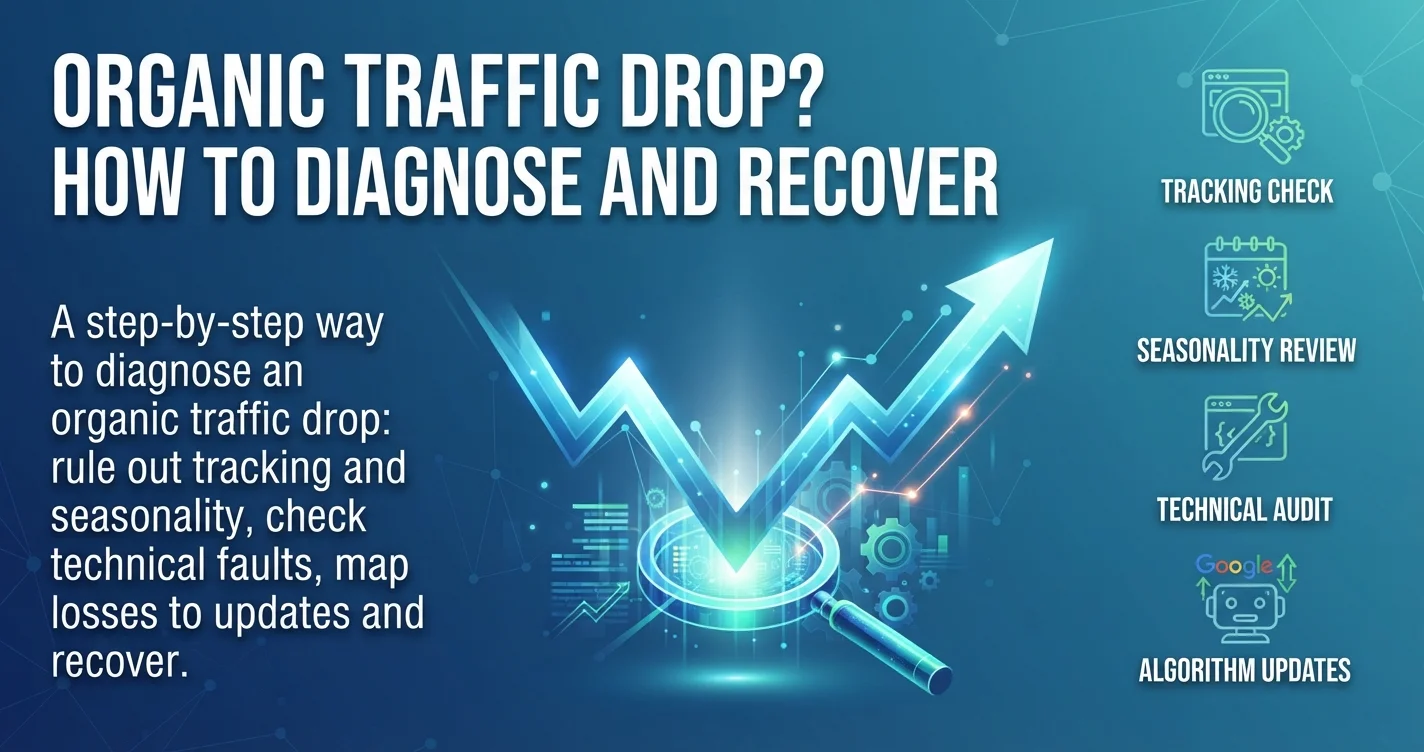
An organic traffic drop is stressful precisely because so many different causes produce the same picture. Some are serious, some are harmless, and a few are not traffic drops at all. The worst response is to start changing things before you know what happened. This guide gives you a calm, step-by-step way to diagnose the drop, in the order an experienced SEO would check, and then explains how recovery actually works, including after a Google core update.
First, Don’t Panic: Document the Organic Traffic Drop
Before you touch the website, write down three facts: the date the decline started, how large it is, and which part of the site is affected. Compare at least 28 days against the previous period and the same period last year. A two-day dip is noise; a sustained 20 to 30 percent decline over several weeks deserves investigation.
Then resist the urge to act. Rewriting pages, changing URLs or deleting content during a decline makes diagnosis harder, because you lose the ability to tell which change caused what. Diagnose first, then fix.
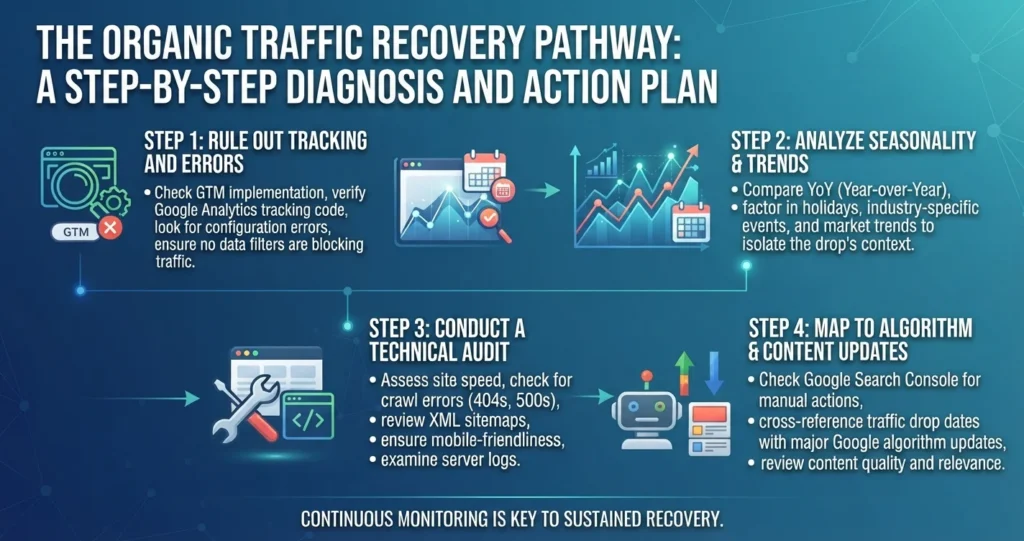
Step 1: Is the Drop Real? Rule Out Tracking
A surprising number of apparent cases of an organic traffic drop are measurement problems. Analytics tags get removed during redesigns, cookie consent banners start blocking tracking, GA4 filters change, or a new theme loads the tag twice and later once.
The quickest check is to compare analytics with Google Search Console, which measures clicks from Google directly and does not depend on your website’s tracking code. If Search Console clicks are stable but GA4 organic sessions fell, the problem is almost certainly tracking, not rankings. Our guide to GA4 lead tracking covers how to verify tags properly, and our Google Search Console guide explains the reports used throughout this article.
Step 2: Is the Organic Traffic Drop Seasonal?
If Search Console confirms fewer clicks, check whether people are simply searching less. In the Performance report, look at impressions as well as clicks. If impressions dropped while average position stayed roughly the same, demand fell, not your visibility.
Seasonality is strong in Lebanon and the Gulf. Ramadan, summer holidays, back-to-school periods, end-of-year breaks and local events all shift search behaviour, and because Ramadan moves on the Gregorian calendar, month-on-month comparisons can mislead. Compare year on year, and check Google Trends for your main service terms. A drop that matches last year’s pattern is not a problem to fix.
Step 3: Read the Three Signals in Search Console
The relationship between clicks, impressions and position tells you a great deal about the cause.
- Impressions and position both fell: you lost rankings. Investigate technical issues, updates and competition.
- Impressions stable, position stable, clicks fell: fewer people are clicking. A new search feature, such as an AI Overview, ads or a map pack, may be taking attention, or a competitor’s snippet became more attractive.
- Impressions fell, position stable: demand fell, as in Step 2.
Now narrow it down, because good traffic loss diagnosis depends on knowing exactly where the organic traffic drop sits. Compare the two periods by page and by query, sorted by the change in clicks. Is the loss spread across the whole site, concentrated on one section such as the blog or product pages, or limited to a handful of key pages? Is it worse on mobile, or in one country? A site-wide drop on a specific date points toward a technical problem or an algorithm update; a drop on a few pages often points toward competition or content issues.
Step 4: Check for Technical Faults
Technical faults cause some of the sharpest and most fixable traffic losses. Work through these checks, especially if the drop began right after any website change.
Indexing and Crawling
Open Indexing → Pages in Search Console and look for a rise in pages that are not indexed. A noindex tag left from a staging site, a robots.txt rule blocking a folder, or canonical tags pointing to the wrong URLs can remove pages from search quickly. Use URL Inspection on your most important lost pages. Our guide to fixing a website not indexed by Google walks through each status.
Redesigns, Migrations and URL Changes
If the drop followed a redesign, platform change or domain move, check redirects first. Missing or incorrect redirects are the most common cause of traffic dropped after website redesign situations, followed by content that was removed or shortened. Our website migration SEO checklist explains how to audit and repair a migration.
Server, Speed and Security
Check whether the site was slow or unavailable around the start date. Repeated server errors reduce crawling, and in Lebanon, hosting outages linked to power or connectivity are not unusual. Review the Crawl Stats report, Core Web Vitals, and the Manual actions and Security issues reports. A hacked site injecting spam pages can trigger a sudden collapse in visibility.
Step 5: Was It a Google Update?
Google updates its ranking systems constantly, and several times a year it releases broad core updates that reassess content quality across the web, alongside other updates such as spam updates. Google lists confirmed updates and their rollout dates on its Search Status Dashboard.
Compare the start of your decline with those dates. If the drop began during a rollout, affects many pages and Steps 1 to 4 found no other cause, an update is the likely explanation. Updates can take a couple of weeks to roll out fully, so judge the effect after the rollout ends.
An update is not a penalty. Core updates do not single out sites for breaking rules; they reassess which pages best satisfy searchers. If you lost ground, Google’s systems now consider other pages more helpful for those queries. Manual actions, which are penalties, appear explicitly in Search Console.
Step 6: Look at Competitors and the Search Results
Sometimes nothing went wrong on your side; someone else got better. Search your most important lost queries in an incognito window from the right country and look at what ranks now. Have competitors published deeper guides, local pages or comparison content? Have directories, marketplaces or forums moved up? Has Google added AI Overviews, video results or a map pack that pushes organic results down?
These observations tell you what searchers are now being given, which is the clearest guide to what your page needs to compete.
Google Core Update Recovery: What Actually Works?
If the evidence points to a core update, Google core update recovery is about improving genuine quality, not finding a technical trick. Google’s own guidance encourages site owners to assess their content honestly against questions about originality, expertise, trustworthiness and helpfulness.
In practice, the work usually involves several steps. Review the pages that lost the most and compare them with what now outranks them. Improve content that is thin, outdated or written mainly to rank rather than to help, adding real experience, examples, data and clear answers. Consolidate overlapping articles that compete with each other, and remove or merge pages that add no value. Strengthen trust signals: named authors with real credentials, accurate contact details, sources, case studies and reviews, as explained in our guide to E-E-A-T. Improve the experience: speed, mobile layout, intrusive pop-ups and clear navigation.
Be realistic about timing. Some improvements are recognised gradually as Google recrawls, but larger shifts often show after a later core update, which can take months. Recovery is not guaranteed, and sites rarely return by simply waiting without making changes.
Common Ranking Drop Causes at a Glance
For quick reference, the most frequent ranking drop causes are:
- Tracking errors that make traffic look lower than it is.
- Seasonality or falling demand for your topics.
- Indexing blocks: noindex, robots.txt or wrong canonicals.
- Migration mistakes: missing redirects or removed content.
- Server problems, hacking or manual actions.
- Algorithm updates reassessing content quality.
- Competitors and new search features taking clicks.
Identifying which one applies, rather than assuming, is what turns a crisis into a manageable project.
Building a Recovery Plan
Once you know the cause, write a short recovery plan: the cause and evidence, the pages affected, the fixes in priority order, who owns each fix, and how you will measure progress. Fix technical faults immediately. Schedule content improvements in batches, starting with pages that previously drove the most enquiries rather than the most traffic. Track clicks and positions for the affected pages weekly, and note every change with its date.
Keep commercial reality in view. If you see an organic traffic drop but enquiries did not fall, the lost visits may have been low-value informational traffic. If enquiries fell, a short-term paid search campaign can protect leads while SEO recovers.
Preventing the Next Organic Traffic Drop
Most severe cases of an organic traffic drop are preventable or at least detectable early. Set up Search Console alerts and check the Performance report monthly. Run an SEO review before every redesign, migration or major plugin update. Avoid publishing large volumes of thin or overlapping content. Keep improving your most valuable pages instead of only adding new ones. And keep a simple log of site changes, so that when traffic moves, you can see what changed and when.
Frequently Asked Questions
The most common reasons are tracking errors, seasonal demand changes, technical problems such as noindex tags or missing redirects, Google algorithm updates, and competitors or new search features taking clicks. Compare Search Console with analytics, then work through each cause in order.
Compare the start date of the decline with confirmed updates on Google’s Search Status Dashboard. If the timing matches, the drop affects many pages, and you have ruled out tracking, seasonality and technical issues, an update is the likely cause.
It varies. Some improvements are reflected as Google recrawls your pages, but significant recoveries often appear only after a later core update, which can take several months. Recovery depends on making genuine quality improvements, not on waiting.
Usually not. Core updates reassess content quality across the web rather than penalising specific sites. Actual penalties, called manual actions, are shown explicitly in Search Console under Security & Manual Actions.
Not automatically. First check whether the page still serves a purpose. Improve pages with potential, merge overlapping ones, and only remove or redirect pages that add no value, after checking their backlinks and conversions.
Turn a Traffic Drop Into a Clear Plan
An organic traffic drop feels urgent, but the fastest route to recovery is a methodical diagnosis: confirm the drop is real, rule out seasonality, read the signals in Search Console, check for technical faults, map the timing against updates and study the competition. Once the cause is clear, recovery becomes a focused project rather than guesswork.
If your traffic has fallen and you want an experienced team to find the cause, the Creative 4 All SEO team can audit your Search Console data, technical setup and content in English, Arabic and French, and give you a prioritised recovery plan. Explore our SEO services in Lebanon and request a free SEO audit through the form or on WhatsApp.