
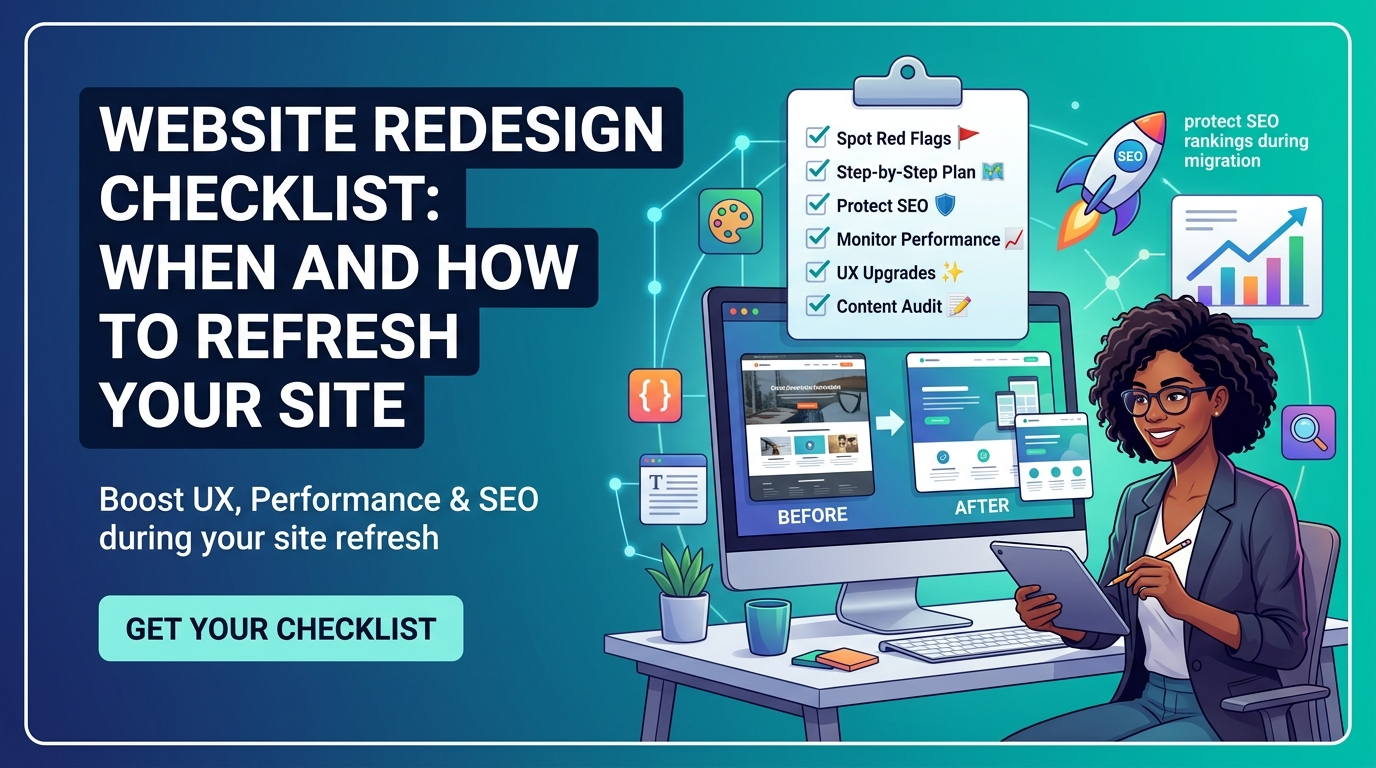
Deciding to redesign a website is often driven by the wrong signal: someone on the team simply got tired of looking at it. A genuine redesign decision should be driven by evidence — performance data, conversion problems, and brand misalignment that a fresh coat of visual paint cannot fix on its own. This website redesign checklist walks through the real signs a refresh is overdue, a step-by-step process for executing it well, and the SEO migration safeguards that protect years of accumulated search rankings from being wiped out by a redesign gone wrong.
Signs Your Website Redesign Is Overdue
Performance and Technical Debt
Slow page load times, a site that renders poorly on mobile devices, and an outdated technical foundation that makes even small content updates difficult are strong signals that a website has accumulated enough technical debt to justify a rebuild rather than incremental patches. When to redesign a website often comes down to this calculation: if ongoing maintenance costs and performance problems have become a persistent drag on the business, a proper redesign frequently costs less over time than continuing to patch an aging foundation.
Conversion and User Experience Problems
A website that generates traffic but consistently fails to convert that traffic into leads or sales is showing one of the clearest website refresh signs available. Confusing navigation, unclear calls to action, and a user journey that makes it genuinely difficult for a visitor to find what they came for all point toward structural UX problems that content updates alone cannot solve. Reviewing analytics for high-traffic pages with unusually high bounce rates or abandoned checkout flows often reveals exactly where the current design is losing prospective customers.
Brand Misalignment
A website that no longer reflects how a business actually presents itself — because the brand has evolved, the business has expanded into new services, or the visual identity was refreshed elsewhere but never carried through to the site — creates a jarring inconsistency for visitors comparing the website against other brand touchpoints. This misalignment quietly undermines credibility, since a mismatch between a polished brand presence elsewhere and an outdated website raises unspoken questions about whether the business itself has kept pace.
A Step-by-Step Redesign Process
Discovery and Content Audit Before Any Design Work
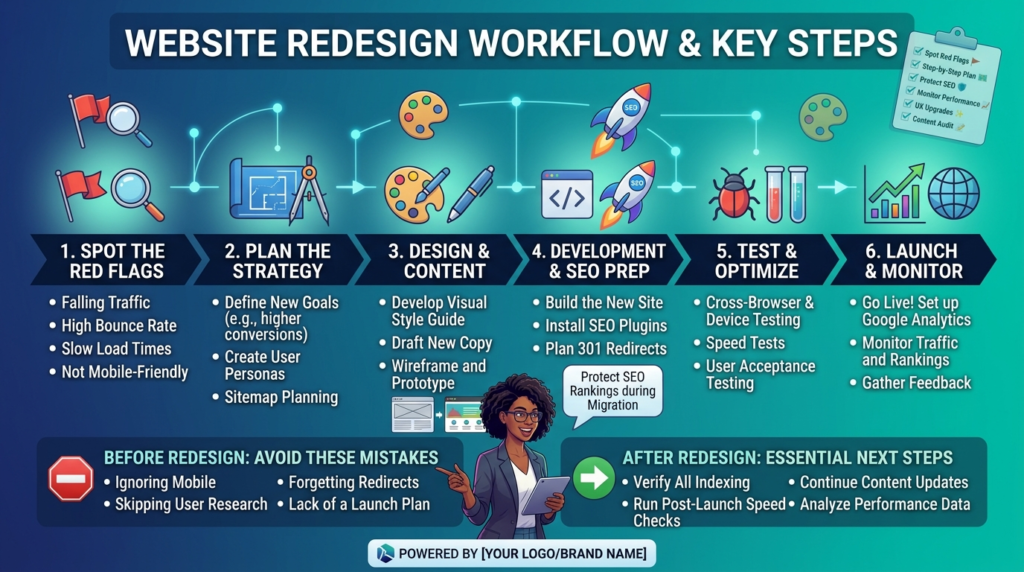
A proper redesign begins with a content and performance audit of the existing site — which pages actually drive traffic and conversions, which content is outdated or redundant, and which URLs carry meaningful search rankings that must be preserved. Skipping this step and moving straight to visual design is one of the most common reasons redesigns underperform, since decisions about site structure and content priorities made without this data are essentially guesses.
Design, Development, and Staging
Once discovery is complete, design and development typically proceed on a staging environment separate from the live site, allowing the new design to be built, reviewed, and refined without disrupting current traffic or search visibility. This staging phase is also where stakeholders should review the full site structure and content, not just visual mockups of a few key pages, since problems discovered after launch are considerably more expensive to fix than those caught in staging.
Pre-Launch QA and Testing
Before any redesign goes live, thorough quality assurance across devices, browsers, and key user flows (checkout, contact forms, navigation paths) catches functional problems that a visual review alone would miss. This phase should also include a final technical SEO check — confirming that meta tags, structured data, and page speed on the new site meet or exceed what the old site achieved, since a beautiful redesign that quietly degrades technical SEO fundamentals trades one problem for another.
Protecting SEO Equity During Migration
URL Mapping and 301 Redirects
The single most consequential step in SEO migration is creating a complete URL mapping document that pairs every existing URL with its corresponding new URL, then implementing 301 redirects for every mapped pair before the new site goes live. Redesigns that change URL structures without proper redirects routinely lose the majority of their accumulated search rankings within weeks, since search engines interpret missing redirects as the old pages simply disappearing rather than moving.
Preserving Rankings Through the Transition
Beyond redirects, preserving rankings through a redesign means carrying forward the actual content and on-page SEO elements that earned those rankings in the first place — the same target keywords, comparable content depth, and equivalent internal linking structure — rather than treating the redesign as an opportunity to rewrite everything from scratch. Monitoring search rankings and organic traffic closely for four to six weeks after launch, and being ready to quickly address any pages showing unexpected ranking drops, catches migration problems while they are still easy to fix.
Setting Realistic Timeline Expectations
How Long Each Phase Actually Takes?
A realistic website redesign timeline for a small to mid-sized business site typically runs eight to sixteen weeks from discovery through launch, depending on site size and complexity: two to three weeks for discovery and content audit, four to eight weeks for design and development, and two to four weeks for testing, content migration, and final QA. Businesses expecting a full redesign to happen in two or three weeks are almost always setting themselves up for a rushed, under-tested launch.
Why Rushing a Redesign Backfires?
Compressing this timeline to hit an arbitrary launch date tends to produce exactly the kind of skipped steps — incomplete redirect mapping, insufficient cross-device testing, content migrated in a hurry — that cause the technical and SEO problems a well-run redesign process exists to prevent. A redesign that takes an extra two or three weeks to properly test and migrate almost always costs less in the long run than one that launches on schedule but requires weeks of post-launch firefighting to fix problems that rushed execution created.
Budgeting and Planning Before the Project Starts
Setting a Realistic Budget Range
Website redesign costs vary enormously based on site complexity, custom functionality, and content volume, but businesses that skip this planning step often discover mid-project that their budget only covers a fraction of what a proper redesign actually requires. Establishing a realistic budget range upfront, informed by the actual scope of the current site rather than a rough guess, prevents the common scenario where a redesign stalls halfway through because funding ran out before the project reached completion.
Choosing Between an Agency, Freelancer, or In-House Team
Who executes a redesign matters as much as the plan itself. An agency typically brings coordinated design, development, and SEO expertise under one roof, which reduces the coordination burden on the business but usually costs more than a freelancer handling the same scope alone. A freelancer can work well for smaller, more contained redesigns, but a business should confirm upfront that the freelancer has genuine experience with SEO migration specifically, since this is the area most likely to go wrong without dedicated expertise.
Common Redesign Mistakes to Avoid
Redesigning Without Clear Goals
A redesign undertaken simply because the current site “feels old,” without clear goals tied to conversion, performance, or brand alignment, often produces a site that looks different but performs no better than the one it replaced. Defining specific, measurable goals before design work begins — a target page load time, a specific conversion rate improvement, a defined content structure — gives the project a way to actually measure success rather than relying on subjective impressions of whether the new site “looks better.”
Neglecting Content in Favor of Visual Design
Redesign projects frequently treat content as an afterthought, focusing budget and attention almost entirely on visual design while migrating existing text and images with minimal review. This misses a genuine opportunity, since a redesign is often the best moment to audit and improve content that has grown outdated or redundant over time, and skipping this review means carrying forward the same content problems into an otherwise improved site.
Maintaining the New Site After Launch
Establishing a Post-Launch Monitoring Routine
The weeks immediately following a redesign launch deserve closer-than-usual attention, since this is when migration issues, broken links, or unexpected ranking changes are most likely to surface. Checking search console data, site speed metrics, and conversion rates weekly during this window, rather than reverting to a normal quarterly review cadence immediately, catches problems while they are still small and easy to fix.
Planning the Next Refresh Before It’s Needed
A useful practice coming out of any redesign project is documenting, even briefly, what website refresh signs to watch for in the future — specific performance thresholds, conversion benchmarks, or brand milestones that would signal the next redesign is approaching before the site again reaches a genuinely overdue state. This turns the decision of when to redesign a website from a reactive scramble into a planned, evidence-based process the next time it comes up.
Frequently Asked Questions
A full redesign is generally warranted when the site has fundamental structural, technical, or brand alignment problems that content updates cannot fix. If the core structure and technical foundation are sound but the visual execution feels dated, a lighter refresh of design elements alone is often sufficient and considerably less risky.
It can, if URL structures change without proper 301 redirects or if content and on-page SEO elements are not carried forward carefully. A redesign executed with a complete redirect map and preserved SEO fundamentals typically maintains or even improves rankings rather than losing them.
Most small to mid-sized business redesigns take eight to sixteen weeks from discovery through launch, depending on site complexity. Timelines significantly shorter than this usually indicate steps are being skipped, which increases the risk of technical and SEO problems after launch.
URL mapping and redirect planning are frequently underestimated or handled at the last minute, despite being one of the most consequential factors in whether a redesign preserves or loses existing search rankings. This step deserves dedicated time early in the process, not a rushed afterthought before launch.
Strong traffic with poor conversion is itself one of the clearest signals a redesign is worth considering, since it suggests the site is attracting the right visitors but failing to turn that interest into leads or sales. A redesign in this situation should focus heavily on UX and conversion path improvements rather than simply refreshing visual style.
Ready to Redesign Without Losing What’s Working?
A website redesign checklist only protects you if it is actually followed, especially around SEO migration and realistic timelines. Creative 4 All manages full website redesign projects for businesses across Lebanon and the GCC, with complete redirect mapping and SEO safeguards built into every migration. Request a Website Quote to see what a properly planned redesign would look like for your business.