
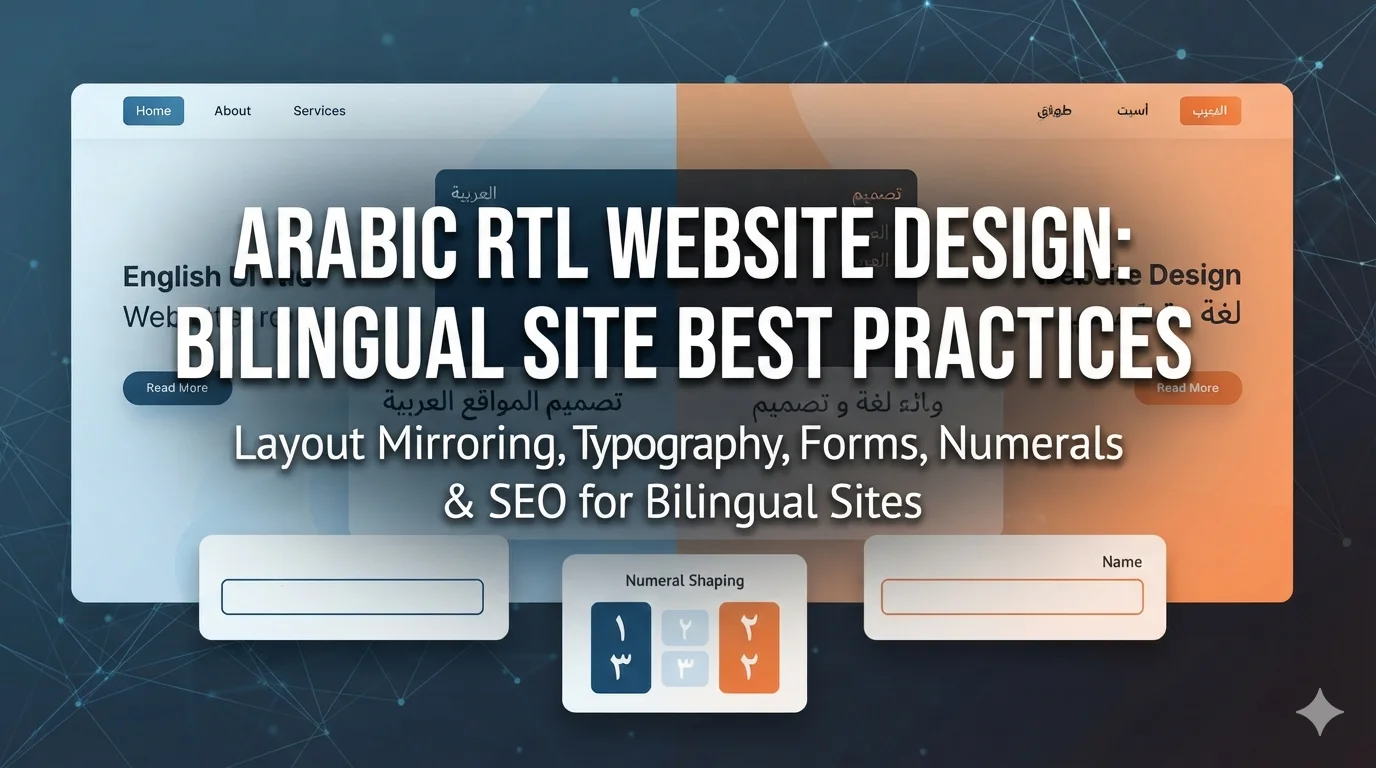
Open the Arabic version of many bilingual websites in Lebanon or the Gulf and the problems appear within seconds. The menu reads right to left but the arrows still point the wrong way. A phone number appears backwards inside an Arabic sentence. The font looks thin and cramped next to its English counterpart. On mobile, the contact form’s error message sits on the wrong side of the field. Nothing is completely broken, yet everything feels slightly off, and visitors notice.
Arabic RTL website design is the discipline of building interfaces that feel native to right-to-left readers rather than mirrored afterthoughts. It covers layout direction, typography, mixed-language text, forms, numbers, icons, performance and SEO. This guide explains the best practices for bilingual Arabic-English and trilingual Arabic-English-French websites, the mistakes we see most often, and how to plan a site so that every language version feels designed rather than translated.
Why Arabic RTL Website Design Deserves Its Own Plan?
For businesses in Lebanon, Arabic is rarely the only language, and in the Gulf it sits alongside English in almost every sector. That means most projects are bilingual or trilingual from the start, yet many are designed in English first, with Arabic added at the end by flipping a stylesheet. The result is predictable: the Arabic site works technically but reads awkwardly.
Getting it right matters commercially. Arabic-speaking visitors judge trust quickly, and a clumsy Arabic interface signals that the business does not really serve them. In the Gulf especially, government entities, banks and large corporates often expect polished Arabic versions as a baseline. And because poor RTL implementation affects usability, speed and markup, it also affects SEO, as we explain in our Arabic SEO guide.
Mirroring Layout RTL: What Flips and What Does Not
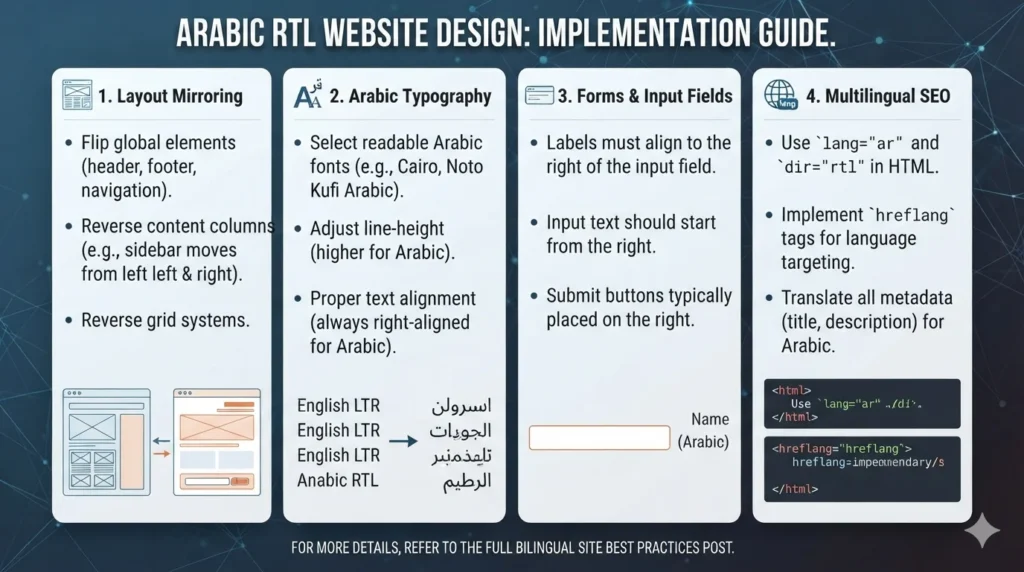
Mirroring layout RTL means reversing the horizontal flow of the page so that it reads naturally from right to left. Navigation starts on the right, the logo usually moves to the right, sidebars swap sides, text aligns right and progress flows from right to left.
Set Direction at the Root
Declare direction on the document itself:
<html lang="ar" dir="rtl">
for Arabic pages. Browsers then flip text alignment, table column order, scrollbars on some systems and form element alignment automatically. Avoid applying direction piecemeal to individual blocks unless they genuinely contain left-to-right content.
Use CSS Logical Properties
Instead of writing separate styles for left and right, use CSS logical properties such as
margin-inline-start
,
padding-inline-end
and
inset-inline-start
. These adapt automatically to the document’s direction, so one stylesheet serves English, French and Arabic. Popular frameworks support this approach: Bootstrap ships RTL builds, and Tailwind offers RTL-aware variants. Building with logical properties from day one is far cheaper than retrofitting a left-to-right design.
Icons: Flip Directional, Keep Universal
Icons that imply direction or sequence should mirror: back and forward arrows, chevrons in menus and carousels, “next” buttons and progress indicators. Icons that represent real-world objects or universal symbols should not: logos, checkmarks, search magnifiers, clocks, media play buttons and brand marks. Getting this wrong in either direction makes the interface feel clumsy.
Images and Charts
Photos generally do not need flipping, but images containing text do need Arabic versions. Charts and timelines should read right to left in Arabic, with axes and legends arranged accordingly. Carousels and sliders should move in the direction Arabic readers expect.
Arabic Typography for the Web
Arabic typography web choices make the biggest visual difference between an Arabic site that feels premium and one that feels like an afterthought.
Choose Fonts Designed for Arabic
Pick a typeface designed with genuine Arabic support rather than relying on a Latin font’s fallback. Many well-supported families pair Arabic and Latin scripts, such as IBM Plex Sans Arabic or the Noto Naskh and Noto Kufi families, and Google Fonts offers several popular options like Cairo, Tajawal and Almarai. For brands, check that the Arabic and Latin styles feel related in weight and personality.
Adjust Size and Line Height
Arabic letterforms typically appear smaller than Latin text at the same font size, with tall ascenders and deep descenders. Most Arabic layouts benefit from a slightly larger base size and more generous line height than the English version. Test real paragraphs, not just headings.
Avoid Latin-Only Styling
Some typographic habits from Latin design break Arabic. Letter-spacing (tracking) can break the connections between Arabic letters, so keep it at zero for Arabic text. Arabic has no capital letters, so uppercase transforms do nothing useful, and fake italics distort the script. Use weight, size and colour for emphasis instead.
Performance in Arabic RTL Website Design
Arabic fonts can be large files. Load only the weights you use, prefer modern formats such as WOFF2, consider subsetting and use
font-display
settings that avoid invisible text. Heavy fonts are a common reason Arabic pages score worse on Core Web Vitals than English ones.
Mixed-Direction Text: Numbers, Brands and Phone Numbers
Bidirectional text is where many bilingual sites quietly fail. Arabic sentences regularly contain left-to-right elements: English brand names, product codes, prices, email addresses, URLs and phone numbers. The browser’s bidirectional algorithm usually handles simple cases, but punctuation and numbers at the edges of a phrase can jump to the wrong side.
Wrap user-generated or mixed content in the
<bdi>
element, or use
dir="auto"
on inputs and containers whose language you cannot predict, so the browser isolates it correctly. Display phone numbers and email addresses in left-to-right order within Arabic text, and test sentences such as “اتصل بنا على +961 1 234 567” or “منتجات Apple الأصلية” on several browsers.
Western or Eastern Arabic Numerals?
Arabic text can use Western digits (0–9) or Eastern Arabic digits (٠–٩). Usage varies by country and context: Western digits are common in Lebanon and widely used across the Gulf online, while Eastern digits appear in more formal or traditional contexts. Choose one convention per site, apply it consistently, and remember that most users type Western digits when searching, which matters for prices, years and model numbers.
Forms That Work in Arabic
Forms are where design problems cost real enquiries. Labels, placeholders, help text and error messages should align right in Arabic. Fields that always contain left-to-right data, such as email addresses, phone numbers and URLs, should keep left-to-right input direction even on Arabic pages, otherwise the cursor and punctuation behave strangely as users type.
Validation must accept Arabic names, including characters that some systems reject, and should not force Latin-only input unless genuinely necessary. Phone fields should accept local formats with and without country codes. Error messages need proper Arabic, not machine translations. Test every form on mobile in Arabic, because that is where most real submissions happen in Lebanon and the Gulf.
Building a Bilingual Website: Arabic and English Together
A bilingual website in Arabic and English needs more than two sets of text. Plan these elements from the start:
- Language switcher: label languages in their own script (“العربية”, “English”, “Français”), not with flags.
- Equivalent pages: each page links to its counterpart, so switching keeps the visitor in context.
- Content parity: key pages, forms and conversion paths exist in every language.
- Native writing: Arabic content written or adapted by native writers, not machine-translated.
- Separate testing: each language version is reviewed and tested on its own devices.
For SEO, connect language versions with hreflang annotations and give each page its own URL rather than switching languages with scripts on the same address. Our guide to multilingual SEO in English, Arabic and French covers the setup.
Trilingual Sites: Adding French
Many Lebanese businesses add French for education, healthcare, luxury and hospitality audiences. A trilingual site combines one right-to-left language with two left-to-right ones, which makes logical properties and a component-based design system even more valuable. French text is typically longer than English, and Arabic often needs more vertical space, so design buttons, menus and cards to flex rather than relying on fixed widths. Decide early whether all content will exist in all three languages or whether some sections will be bilingual only, and make the language switcher honest about it.
Accessibility in Arabic RTL Website Design
Right-to-left design and accessibility go hand in hand. Screen readers rely on correct
lang
and
dir
attributes to pronounce content properly, so mark language changes within a page too, for example an English quote inside Arabic text. Keyboard navigation should follow the visual order, colour contrast rules apply equally to Arabic text and very thin Arabic font weights can be hard to read at small sizes. Our web accessibility guide explains the wider standards.
RTL Web Design Best Practices: A Launch Checklist
Before launching any Arabic version, run through these RTL web design best practices:
- Direction and language set at the root on every Arabic page.
- Layout mirrored with logical properties, and directional icons flipped.
- Typography tuned: Arabic font, size, line height and no letter-spacing.
- Mixed text tested: phone numbers, prices, emails and brand names display correctly.
- Forms checked on mobile in Arabic, including validation and error messages.
Also measure page speed on mobile for the Arabic version separately, and review the site with native Arabic speakers from your target markets before launch.
Common Arabic RTL Website Design Mistakes
The same mistakes appear across many projects: designing only in English and flipping the stylesheet at the end, using a Latin font with automatic Arabic fallback, mirroring every icon including logos and checkmarks, letting phone numbers and prices reverse inside Arabic sentences, using flags for language selection, machine-translating interface text, and forgetting that Arabic pages need their own testing on real devices. Each is easy to avoid when Arabic RTL website design is planned from the start rather than added at the end.
Frequently Asked Questions
It is the practice of designing and building websites that read naturally from right to left for Arabic speakers. It includes mirrored layouts, Arabic typography, correct handling of mixed Arabic and English text, Arabic-friendly forms, appropriate numerals and correct language markup.
Flipping the layout is only the first step. You also need Arabic fonts and spacing, correct icon behaviour, proper handling of numbers and English words inside Arabic text, Arabic-ready forms and native content. Sites built with CSS logical properties make this much easier.
Choose typefaces designed with real Arabic support, such as IBM Plex Sans Arabic, the Noto Arabic families, Cairo, Tajawal or Almarai, and pair them with a compatible Latin style. Load only the weights you need to keep pages fast.
Either can be correct; choose based on your audience and brand, then stay consistent. Western digits are common online in Lebanon and the Gulf, and most users type Western digits when searching, which is worth considering for prices and model numbers.
Use one design system built on logical properties, plan flexible components for longer French text and taller Arabic text, give each language its own URLs with hreflang, label languages in their own script and have native speakers write and review each version.
Build an Arabic Experience That Feels Native
Visitors can tell immediately whether an Arabic website was designed for them or converted for them. Strong Arabic RTL website design combines correct mirroring, thoughtful typography, careful handling of mixed text, Arabic-ready forms and native content, and it pays off in trust, conversions and search visibility across Lebanon and the GCC.
If you are planning a bilingual or trilingual website, or your current Arabic version does not feel right, the Creative 4 All team designs and builds websites natively in Arabic, English and French. Explore our web design and development services in Lebanon and request a website review.