
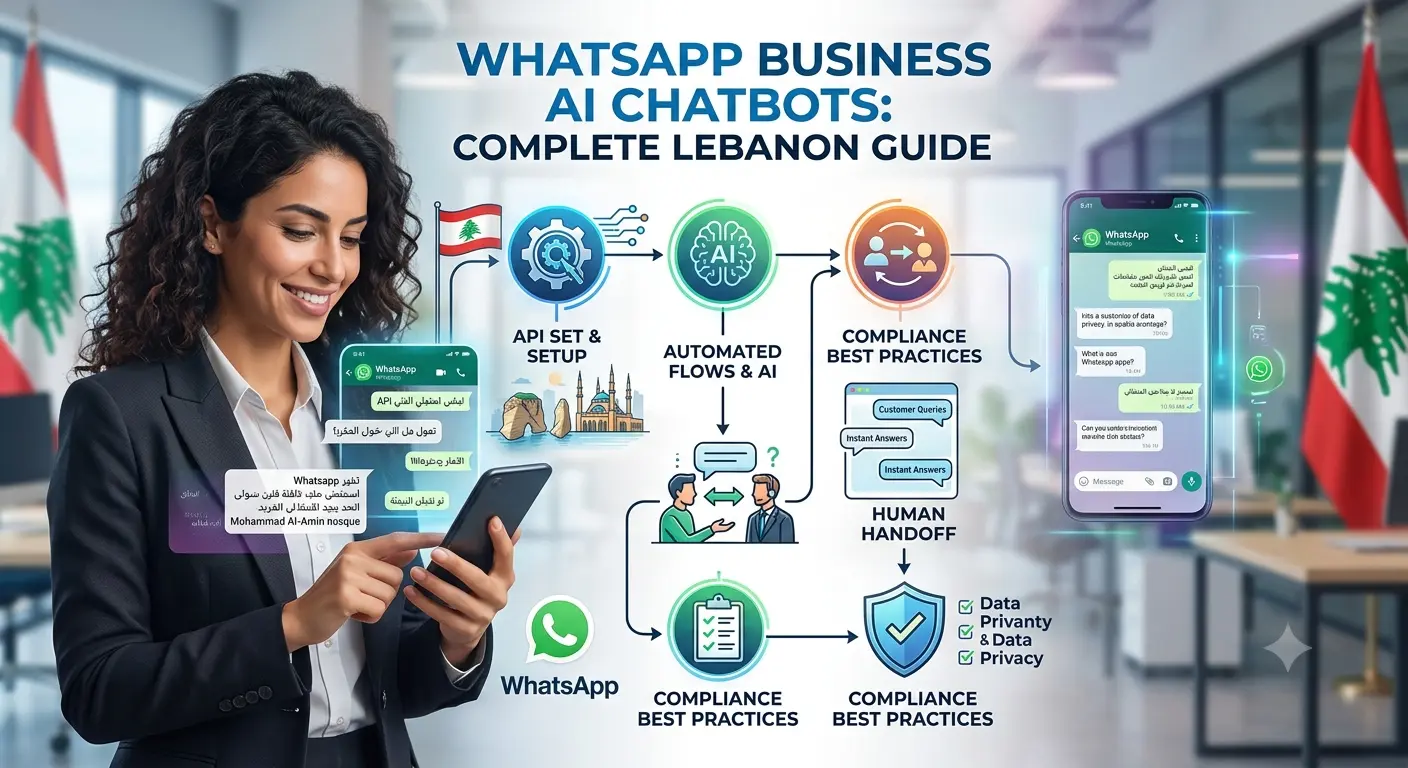
Walk through how Lebanese consumers actually contact a business, and WhatsApp comes up far more often than a website contact form or even a phone call. It’s the default channel for asking about pricing, checking product availability, booking an appointment, or following up on an order, and businesses that treat it as an afterthought to their website chat widget are missing where the actual conversation is happening. A WhatsApp AI chatbot addresses this directly — automating the repetitive parts of that conversation without losing the direct, personal channel Lebanese customers already prefer.
This guide covers why WhatsApp matters more than web chat in Lebanon’s market specifically, the basics of the WhatsApp Business API, how to set up automated flows for a WhatsApp AI chatbot, how to combine automation with human handoff so customers never get stuck talking to a bot that can’t help them, and the compliance and opt-in practices that keep a business on the right side of WhatsApp’s policies.
Why WhatsApp Matters More Than Web Chat in Lebanon?
Web chat widgets assume a customer is already on a business’s website, actively looking at a specific page, and willing to start a new conversation in an unfamiliar interface. WhatsApp assumes none of that — a customer can message a business directly from a saved contact, a shared link, or an Instagram bio, without ever visiting a website at all, and the conversation continues in an app they already have open throughout the day. For a market where WhatsApp is already the default way people communicate with friends, family, and increasingly businesses, building automation on top of a channel customers are already comfortable in produces meaningfully higher engagement than trying to redirect that same behavior toward a less familiar web chat widget.
This matters especially for service businesses, retailers, and restaurants — categories where a quick question about availability, pricing, or hours is the most common first contact a potential customer makes. A WhatsApp AI chatbot meets that customer exactly where they already are, rather than asking them to change their behavior to fit the business’s preferred channel.
WhatsApp Business API Basics
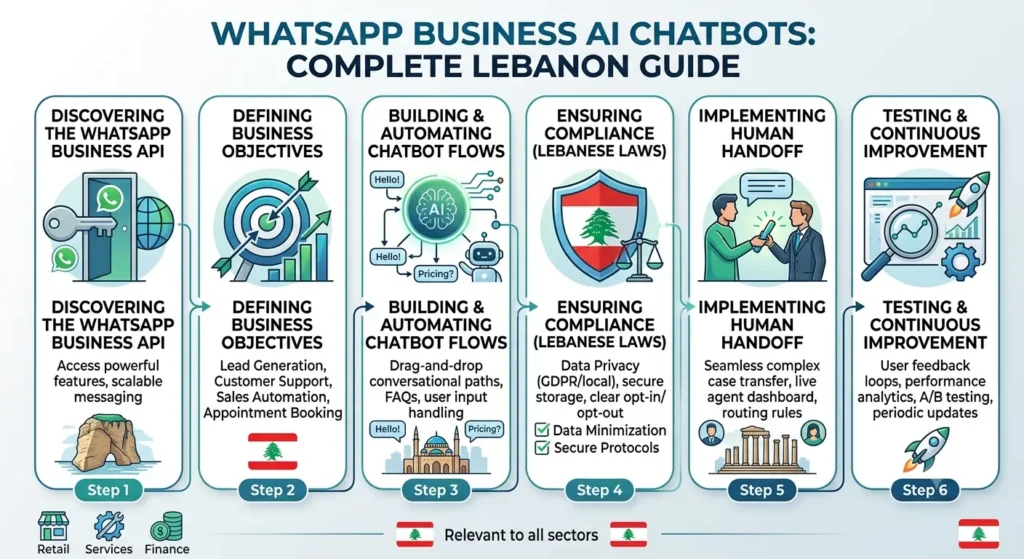
The WhatsApp Business App, free and designed for very small businesses, supports basic automated greetings and away messages but lacks the flexibility needed for genuine conversational automation at scale. The WhatsApp Business API, by contrast, is built for businesses that need to integrate WhatsApp with a CRM, run automated flows with branching logic, or connect a proper AI chatbot capable of understanding and responding to a wide range of customer questions rather than a fixed set of templated replies.
Accessing the API requires going through Meta Business Suite and typically a solution provider that handles the technical integration, since the API itself isn’t something a business connects to directly the way it might install an app. This is also where message template approval becomes relevant — WhatsApp requires certain types of outbound messages, particularly ones initiated by the business rather than a reply to a customer, to be pre-approved, which affects how automated flows should be designed from the outset rather than something to work around after the fact. Choosing a solution provider with genuine experience building conversational AI on top of the API, rather than one only familiar with basic auto-reply setups, makes a meaningful difference in how capable the final chatbot actually is.
Setting Up Automated Flows
A well-designed automated flow starts by identifying the handful of questions and requests that make up the bulk of a business’s WhatsApp volume — hours, location, pricing, availability, order status — and building clear, accurate automated responses for exactly those scenarios first, rather than trying to automate every possible conversation from day one. This focused approach delivers real value quickly and gives a business room to expand the flow’s scope gradually as it learns which additional questions come up often enough to justify automating.
Flows should be designed with clear branching logic that guides a customer toward a resolution or a specific next step — booking a call, providing a quote, confirming an order — rather than a chatbot that simply answers questions in isolation without ever moving the conversation toward an actual outcome. Testing flows with real customer language, not just the phrasing a business assumes customers will use, catches gaps where a WhatsApp AI chatbot fails to recognize a legitimate question phrased slightly differently than expected.
Combining Automation with Human Handoff
The most common failure mode in WhatsApp automation isn’t the bot answering incorrectly — it’s the bot trapping a customer in an automated loop when they need something automation genuinely can’t handle. A properly designed system recognizes clear signals that a conversation needs human attention — a customer expressing frustration, asking a question outside the bot’s defined scope, or explicitly requesting to speak with a person — and hands off smoothly to a human team member rather than continuing to offer automated responses that don’t address the actual need.
This handoff needs to preserve context: a customer shouldn’t have to repeat their entire question once a human takes over, since the whole point of a smooth handoff is continuity, not a fresh start that erases the progress already made in the automated portion of the conversation. Businesses that get this right treat automation and human support as a single connected system rather than two separate experiences a customer has to navigate between.
What This Looks Like for a Lebanese Business?
A restaurant using a WhatsApp AI chatbot might automate reservation requests, menu questions, and delivery zone confirmation, freeing staff from repeating the same answers dozens of times a day while still handing off to a human the moment a customer wants to modify a large order or has a special dietary request the automation isn’t equipped to handle. A clinic might automate appointment scheduling, insurance coverage questions, and pre-visit instructions, while immediately routing anything resembling a medical question to staff rather than letting a bot attempt an answer it has no business giving.
A retailer might use WhatsApp automation to confirm order status, answer sizing or availability questions, and process simple exchanges, while handing off complaints or unusual requests to a team member who can actually resolve them. Across all three examples, the pattern is the same: automation handles the predictable, high-volume questions, and a human handles everything that genuinely requires judgment, empathy, or a decision the bot isn’t authorized to make.
Compliance and Opt-In Best Practices
WhatsApp has strict policies around business messaging, and violating them risks account restrictions that can cut off an entire communication channel a business has come to depend on. Customers need to have opted in to receive messages from a business — typically by messaging first or explicitly agreeing to be contacted — before that business can send template messages outside an active conversation window. Sending unsolicited promotional messages to numbers that haven’t opted in is one of the fastest ways to trigger account restrictions, regardless of how well-intentioned the message might be.
Message templates used for anything beyond direct replies within an active conversation need approval through Meta Business Suite before they can be sent, and templates that read as spammy, overly promotional, or misleading are more likely to be rejected. Building a compliant, sustainable WhatsApp automation strategy from the start — proper opt-in collection, approved templates, and respecting messaging windows — protects a business from the disruption of losing access to a channel that, for many Lebanese businesses, has become their primary line of customer communication.
Frequently Asked Questions
The free Business App works for very small businesses handling low message volume with simple automated greetings. Any business wanting genuine AI-driven automation, CRM integration, or flows with branching logic needs the WhatsApp Business API instead.
A focused implementation covering a business’s most common questions can typically be built and tested within a few weeks, though timelines extend for more complex flows requiring deeper CRM integration or extensive message template approval.
Yes, and they should be able to — a properly designed system includes clear human handoff triggers, and businesses should never design automation that traps a customer without a path to real support when they genuinely need it.
Cost varies based on flow complexity and CRM integration needs, similar to other AI automation projects, though a focused implementation covering core common questions is typically more accessible than a business might expect.
This risks violating WhatsApp’s messaging policies, which can result in template rejections or account restrictions. Proper opt-in collection before sending template messages outside an active conversation window is essential to maintaining account standing.
Ready to Put WhatsApp Automation to Work for Your Business?
WhatsApp is where your customers already are — automation should meet them there without losing the personal connection that makes the channel work. Book a free AI automation assessment with Creative 4 All and find out exactly what a WhatsApp AI chatbot could handle for your business.