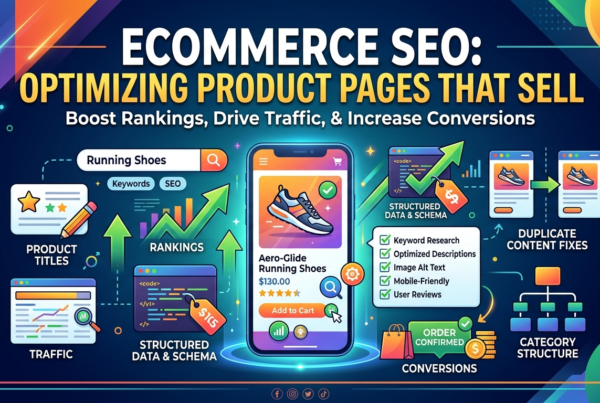
Most online store owners spend their SEO effort on product pages: better descriptions, more photos, reviews. That work matters, but it often misses where the real search demand sits. People rarely search for “Model XR-220 cordless drill 18V”. They search for “cordless drills”, “women’s running shoes” or “baby car seats Lebanon”. Those broader, high-intent searches are matched by category pages, not product pages.
That is why ecommerce category page SEO tends to produce some of the largest gains in organic revenue for an online store. It is also where many stores quietly go wrong: category pages with nothing but a product grid, hundreds of filter URLs competing with each other, and categories that overlap so much Google cannot tell which one to rank. This guide explains how to structure categories, handle filters safely, write content that helps rather than clutters, and connect it all with internal links and schema.
Why Category Pages Deserve More Attention Than Product Pages?
A category page (called a collection page on Shopify and a product category on WooCommerce, which is why you will also see the topic described as collection page SEO) serves a searcher who knows what type of product they want but has not chosen a specific one yet. That is a commercially valuable moment. The searcher wants to compare options, see prices and filter by size, brand or feature.
Category pages also have structural advantages. They are usually linked from the main navigation, so they receive strong internal links. They stay live while individual products come and go. And one well-ranked category can send traffic to dozens of products. Product pages still matter for specific, model-level searches, as covered in our guide to product page SEO, but categories usually carry the volume.
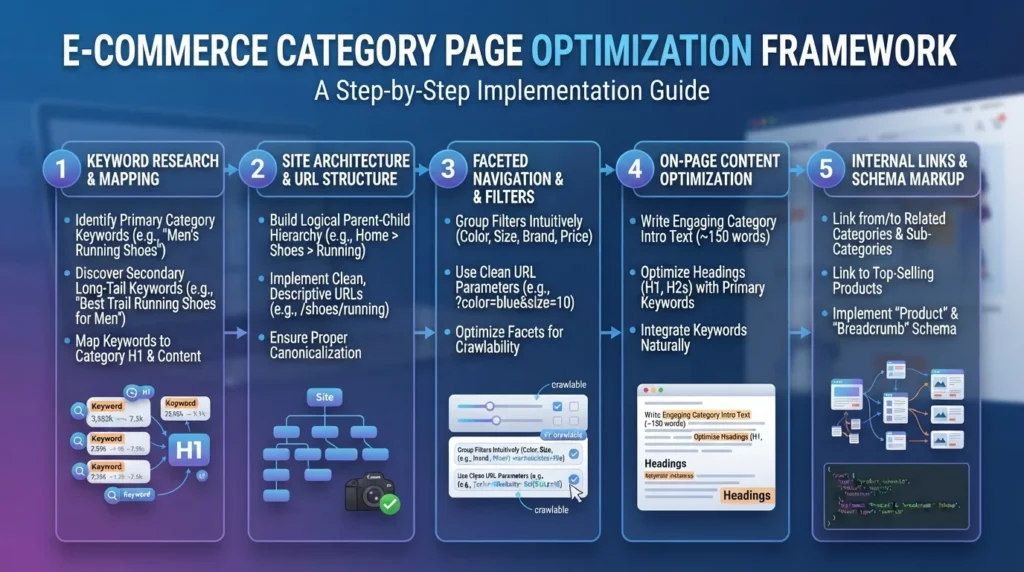
Step 1: Map Keywords to Categories Before You Build Them
Good ecommerce category page SEO starts before any page is designed: with a category structure built around how people actually search.
Start with keyword research for your product range. Group the terms by intent, and check whether the search results for two phrases show the same pages. If “office chairs” and “desk chairs” return largely the same results, they belong on one category page. If “gaming chairs” returns a clearly different set, it probably deserves its own subcategory. Our guide to keyword research for Lebanese businesses explains how to build and group these lists.
Then assign one primary keyword to each category and record it. This map prevents the most common structural problem in online stores: two or three categories targeting the same search, none of them ranking well.
Keep the Hierarchy Shallow and Logical
A clear hierarchy, such as Department → Category → Subcategory, helps both shoppers and search engines. As a rule of thumb, important categories should be reachable within two or three clicks of the homepage. Avoid creating a subcategory for every attribute; colour, size or price range are usually better as filters than as separate categories, unless people genuinely search for them as a product type.
For stores serving Lebanon and the Gulf, consider how people search in each language and market. Search terms, product names and even category boundaries can differ between English, Arabic and French. Each language version should be mapped to its own native keywords, not translated word for word.
Step 2: Structure the Category Page Itself
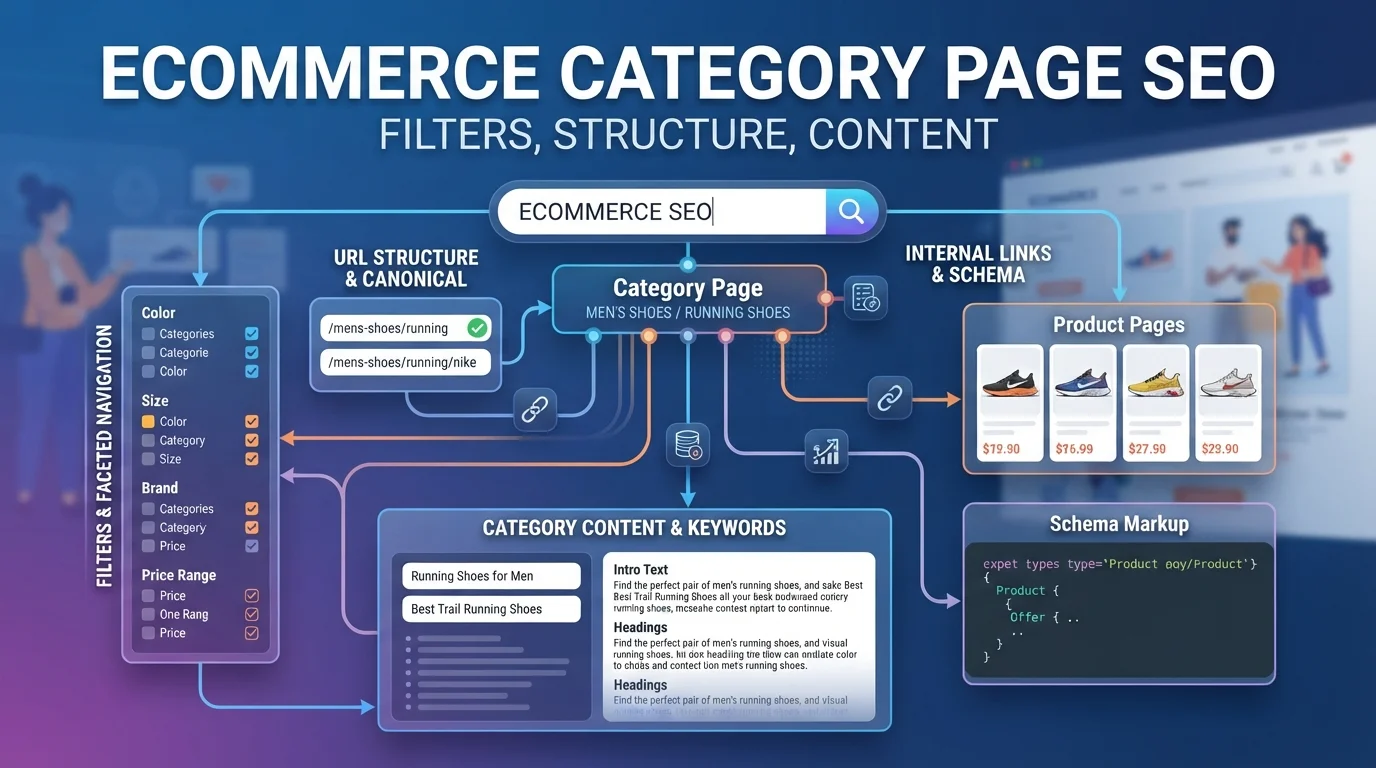
A strong category page balances shopping and information. Shoppers want products quickly; search engines need enough context to understand the page. A practical layout looks like this:
- H1: a clear name matching the primary keyword, such as “Women’s Running Shoes”.
- Short introduction: two to four sentences above the products explaining what the category covers. Keep it brief so products remain visible on mobile.
- Filters and sorting: easy to use, with clear labels.
- Product grid: with descriptive product names, prices, availability and good images with alt text.
- Supporting content below the grid: buying advice, comparisons, sizing notes or answers to common questions.
- Links to related categories and guides.
Category Page Content That Actually Helps
Category page content has a bad reputation because many stores filled the bottom of the page with keyword-stuffed paragraphs no one reads. Google’s systems are good at recognising that kind of text, and it adds nothing for shoppers.
Useful content is different. It answers the questions people have at this stage of buying: how to choose between types, which features matter, what the sizing differences are, which products suit which needs, and what delivery or warranty conditions apply in Lebanon or the Gulf. A category for air conditioners might explain BTU sizing by room size; a category for baby car seats might explain the difference between infant and convertible seats. Write it with real product knowledge, ideally reviewed by someone who sells or supports those products.
Keep each category’s content unique. Copying the same template text across fifty categories with only the product name changed creates near-duplicate pages and weakens all of them.
Step 3: Get Faceted Navigation SEO Right
Filters are essential for shoppers and one of the biggest technical risks for an online store. Each combination of filters, such as brand, colour, size, price and sort order, can generate a new URL. A category with ten filters can easily produce thousands of URL variations, most showing near-identical product lists.
This is the core problem that faceted navigation SEO solves. Without rules, search engines spend crawl time on endless filter combinations, the same content appears at many URLs, and signals are split across duplicates. Google’s own documentation on managing faceted navigation URLs recommends deciding deliberately which filtered URLs should be crawled and indexed, and preventing crawling of those that should not.
A Practical Rule Set for Filter URLs
Sort filter combinations into three groups:
- Filters with real search demand: make them indexable landing pages. If people search for “Nike running shoes” or “leather office chairs”, a filtered view can become a proper page with its own clean URL, unique H1, introduction and a self-referencing canonical. Treat these like subcategories.
- Useful filters without search demand: keep them for shoppers, not search. Colour, size or availability filters help users but rarely deserve to rank. Use a canonical tag pointing to the main category, and keep them out of the XML sitemap.
- Low-value or infinite combinations: stop them from being crawled. Sort orders, price sliders, multiple stacked filters and session parameters can be blocked from crawling with robots.txt rules, or generated in a way that does not create crawlable links.
Filter URLs and Canonical Tags: Know the Limits
The question of filter URLs and canonical rules causes a lot of confusion. A canonical tag is a strong hint, not a command. It helps consolidate signals, but Google still has to crawl a URL to see the canonical, so canonicals alone do not save crawl resources on a very large store. Robots.txt prevents crawling but means Google cannot see a canonical or noindex on those pages. And a noindex tag removes a page from results but still requires crawling.
Choose the method based on the goal: canonical for consolidating near-duplicates, robots.txt for controlling crawl waste at scale, and noindex for pages that must stay accessible but should not appear in search. Avoid combining a robots.txt block with a noindex on the same URLs, because the block prevents Google from ever seeing the noindex.
Finally, check how your platform behaves. Shopify, WooCommerce and custom builds each handle filters, tags and parameters differently, and some filter plugins generate crawlable links by default. Our ecommerce platform comparison covers some of these differences.
Step 4: Handle Pagination and Product Counts
Large categories span several pages, and pagination is an often-overlooked part of ecommerce category page SEO. Make sure paginated pages use crawlable links (standard anchor links, not only “load more” buttons that require JavaScript), and that each page has a self-referencing canonical rather than pointing every page back to page one, which can stop deeper products from being discovered. Showing a reasonable number of products per page, combined with good filters and subcategories, usually works better than very long pagination.
Infinite scroll is fine for users if it is backed by paginated URLs that search engines can reach. Without those, products beyond the first set may never be crawled.
Step 5: Strengthen Internal Linking Around Categories
Internal links tell Google which pages matter most. In ecommerce category page SEO, a few patterns make the biggest difference:
- Navigation: your most important categories should appear in the main menu or a clear secondary menu.
- Breadcrumbs: every product should link back up to its category, and every subcategory to its parent.
- Related categories: link sideways between closely related categories (“office chairs” to “standing desks”).
- Content links: blog guides and buying advice should link to the relevant category with descriptive anchor text.
- Product pages: link to the parent category and, where useful, to related categories.
Our internal linking strategy guide explains how to plan links at scale without turning them into clutter.
Step 6: Add the Right Schema
Structured data is a smaller but useful part of ecommerce category page SEO. Category pages are not single-product pages, so avoid marking them up as one Product. Google’s product rich results are designed for pages focused on a specific product. Instead, use BreadcrumbList markup to reflect the hierarchy, and ensure each product page carries its own complete Product markup with offers and availability. Some stores also add ItemList or CollectionPage markup to describe the listing; it can help clarify structure, though it does not produce a specific rich result. Our guide to schema markup for businesses covers implementation.
Step 7: Don’t Forget Speed and Stock Changes
Category pages are often the heaviest pages on a store: dozens of images, filter scripts and tracking tags. Lazy-load images below the fold, compress them, and keep filter scripts efficient, especially for mobile visitors on slower connections. Our guide to Core Web Vitals explains what to measure.
Stock changes also matter. If a category temporarily has no products, keep the page live with a clear message and links to related categories rather than deleting it; its rankings may take time to rebuild. If a category is permanently discontinued, redirect it to the closest relevant category.
Common Ecommerce Category Page SEO Mistakes
- Empty or thin category pages with only a grid and no context.
- Duplicate categories targeting the same keyword.
- Every filter combination indexable, creating thousands of near-duplicates.
- Template text copied across categories.
- Long intros above the products that push the grid below the fold on mobile.
- Deleting seasonal categories and rebuilding them from scratch each year instead of keeping a permanent URL.
Seasonal pages are worth highlighting for the region. Ramadan, Eid, back-to-school and Black Friday or White Friday collections perform best when they live on a permanent URL that is updated every year, so the page keeps the authority it built in previous seasons.
Measuring Ecommerce Category Page SEO Results
Track category performance in Search Console by filtering for category URLs: impressions, clicks and average position for each category’s primary keyword. In analytics, look at revenue and conversion rate by landing page, not only traffic. Check the Pages report in Search Console for large numbers of filter URLs marked “Crawled – currently not indexed” or “Duplicate”, which signal a faceted navigation problem. Review category changes over several months, since structural improvements take time to be recrawled and reflected.
Frequently Asked Questions
It is the process of optimising product listing pages so they rank for broad, commercial searches. It covers keyword mapping, category structure, on-page content, filter and URL management, internal linking, schema and page speed.
Only when they match real search demand and offer a distinct, useful page, such as a brand or product-type filter people search for. Most filter combinations should be canonicalised to the main category or blocked from crawling.
There is no fixed number. Use a short introduction above the products and helpful buying content below, enough to answer the questions shoppers have at that stage. Quality and relevance matter more than length.
The principles are the same, but Shopify handles collections, tags and filter URLs in its own way, and themes vary. Check which URLs your theme and apps generate, and confirm how canonicals and sitemaps are handled before applying rules.
It depends on the size of the store and how often Google crawls it. Content and internal linking changes may show within weeks, while structural changes to filters and categories can take several months to be fully reflected.
Build Categories That Earn Their Rankings
Strong ecommerce category page SEO comes down to a few disciplined choices: a category structure based on real search demand, clear rules for which filter URLs deserve to be indexed, content that genuinely helps shoppers choose, and internal links that make your most important categories impossible to miss. Get those right and category pages become the dependable source of commercial traffic they should be.
If your store has thin categories, duplicate filter URLs or rankings that never seem to move, the Creative 4 All ecommerce team can audit your structure, filters and content in English, Arabic and French, and give you a prioritised plan. Explore our ecommerce services in Lebanon and get an ecommerce project estimate through the form or on WhatsApp.